

How To Use A Flexepin Voucher For Online Payments
How To Use Flexepin Voucher: A Payment Code To Pay For Stuff
Learning how to use Flexepin voucher for online payments is easy as long as the merchant, currency and region for the voucher are all the same as the merchant you want to pay. Flexepin is a prepaid payment system where you can use your payment value at the online merchants that participate in the system. You don’t have to enter your card information and you pay from the voucher balance by inputting the 16-digit payment code at checkout.
The payment procedure may differ from one merchant to another but the steps you need to confirm if Flexepin is a payment method accepted, click the Flexepin option at checkout, input your 16-digit payment code, and confirm payment. This article will give you tips on payments, failed transactions, and balance issues.
What Is Flexepin?
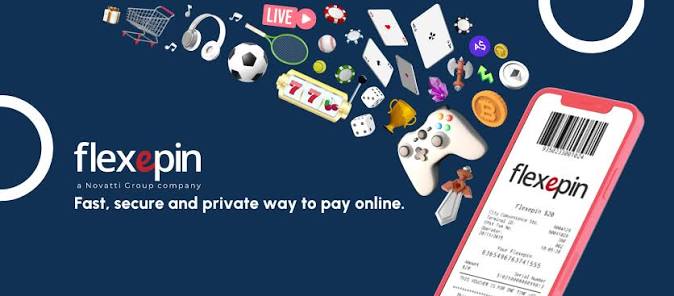
Flexepin is a prepaid digital payment system that is represented by a 16-digit payment code. Flexepin is not a bank card so you can’t use it on websites that accept bank cards such as MasterCard or Visa.
The merchant must process Flexepin payment and display a Flexepin payment option on their checkout page. A voucher is also limited to a certain currency, country, category of merchants or region.
Flexepin makes it easy to:
- Limit online spending
- Pay merchants with a prepaid card
- Let a friend receive money as a gift
- Make online purchases without risking your banking information
- Keep your transactions separate from your banking account
The Flexepin code is like cash. Treat it accordingly. Whoever has the code has the ability to make a purchase.

Make Sure the Merchant You Are Checking Out With Supports Flexepin
Confirm that the merchant you are checking out with supports Flexepin. Do not assume that all online stores and services support Flexepin.
Before using the voucher, confirm the following:
- The voucher currency matches the currency accepted at checkout by the merchant.
- The voucher is valid for the country or region associated with the merchant’s account.
- There is no minimum amount to process the voucher.
- There are no processing fees and no restrictions.
For other prepaid payment options, check out our category of payment gift cards. The gift cards online store offers a lot more variety.
Using a VPN to get around a regional restriction will not work for you. Changing your apparent location does not imply a change of account country, billing rules, or voucher eligibility.
How To Use Flexepin Voucher at Checkout
Once you determine that the merchant processes Flexepin, you can go about a standard merchant checkout.
1. Add Items to Your Cart
Select the product or service you would like to purchase and add to cart. Remember to review the total amount, including tax, delivery charges, or any other fees; the balance must be in accordance with the payment accepted by the merchant.
2. Proceed to Checkout
Proceed to the checkout page and review the payment options. Select Flexepin, or the equivalent option, as offered by the merchant.
Should Flexepin not appear as an option, DO NOT enter the PIN in any of the payment fields provided. Get in touch with the merchant or their help center and confirm if Flexepin is available for your account and region.
3. Enter the 16-Digit PIN
The payment field for Flexepin appears; enter the 16 digits of the PIN for the voucher. DO NOT enter any spaces or additional characters that the merchant has not instructed you to.
Be prepared to confirm the value of the voucher, the currency, and/or to take additional security measures. Follow the instructions as they appear on the merchant’s website.
4. Confirm Payment
Review the transaction amount. If the balance is sufficient and the merchant is able to process the transaction, the required amount will be deducted from the voucher.
Retain the order confirmation and payment reference. DO NOT close the browser window until you have received the payment confirmation.

Using the Leftover Balance
How much leftover value remains after a successful payment is dictated by how much the payment cost and how much the voucher was originally worth. If the value of the voucher exceeds how much was spent, the remaining value will be available for supporting payments, providing it fits within the merchant and voucher terms and conditions.
The leftover balance may be visible to the merchant, or it may require that you look at the payment provider balance or voucher balance. It is good to retain a receipt to keep a record of the amount used versus the original value.
The leftover balance can be used for some currencies and certain merchants. The merchants may require that the next transaction is for a minimum amount. Some merchants may not display the leftover balance for transactions.
The leftover balance in the voucher may not be transferred to another account. Keep your PIN for the voucher secure until you have used the leftover balance.
You may wish to look at our shopping gift cards and supermarket gift cards for other ways to manage spending.
Can Flexepin Be Used for Partial Payment?
If a merchant’s checkout allows partial payment, it may be possible to complete a transaction with Flexepin for part of the payment, but another payment method may be required to fund the rest. Before entering the PIN, it is worth checking the payment instructions for any restrictions related to split payment, partial payment, multiple vouchers, or payment method combination.
When restricted to partial payment, the following steps should be followed:
- Confirm the payment amount.
- Enter PIN when prompted.
- Finish payment using the approved method for the remaining amount.
- Ensure the order total and payment status are correct.
If a lower balance voucher is presented for a higher amount purchase, it is likely to be refused. If partial payments are not possible, the voucher must be for the total amount.
What to Do If a Flexepin Payment Doesn’t Go Through
A payment not going through does not necessarily mean the PIN is invalid. There could be wrong digits entered, a regional mismatch, unsupported merchant, insufficient funds, or a payment checkout error.
If payment does not go through:
- Ensure the 16 digits were entered.
- Confirm that Flexepin is supported for the product, account, and region.
- Check and ensure your balance is above the required amount.
- Check and ensure there are no minimum payment amounts or currency requirements.
- Refrain from entering the PIN on multiple sites.
- Capture any error message screen or credit card transaction screens.
- Contact the merchant if the code is accepted but the order is incomplete.
- Contact the retailer if the PIN was not delivered.
Never enter the PIN to the support request or within any public messages. Instead, provide payment reference and order number.
For other digital gifting options, consider other forms of entertainment gift cards or gaming gift cards.
Disclaimer: All product names, logos, and brands are property of their respective owners. All company, product and service names used in this website are for identification purpose only. Use of these names, logos, and brands does not imply endorsement.
Safe Practices When Learning How To Use Flexepin Voucher
Notes:
- Ensure that you are on the official Website of the merchant.
- Do not screenshot your Flexepin code.
- Keep the code safe.
- Record the details of your purchase and make sure you keep a copy of it.
- If you have moved recently, make sure the Flexepin code is valid for your new location.
Your purchase completed successfully! A reminder that prepaid travel cards can be compared to other options and purchased individually at travel gift cards.
Final Checklist
Confirm that your merchant accepts Flexepin and that the currency and region match and your Flexepin has sufficient amount for your purchase.
During checkout, ensure that you select the payment method that corresponds to the Flexepin and carefully enter the 16 digit PIN. Save your confirmation.
These tips show how to use Flexepin voucher safely and will help you complete safe transactions with Flexepin: use Flexepin with approved merchants, safeguard the PIN, confirm the payment rules that allow only partial payment, and maintain the receipt.