How to Redeem Mighty Ape Gift Card at Checkout
You can buy games, toys, books, electronics, accessories, and more from Mighty Ape using a Mighty Ape Gift Card. If you want to know how to redeem Mighty Ape gift card at checkout, check the card type, account region, balance, and payment instructions before placing the order.
A Mighty Ape Gift Card may be purchased as a digital code or sent as an electronic gift card. The email may include the card number, PIN, value, and redemption instructions. Make sure you save the email and receipt until the balance has been fully used.
Mighty Ape Gift Card
A Mighty Ape Gift Card is prepaid shopping credit that can be used to purchase eligible items on the Mighty Ape website. The card may be tied to the New Zealand website, currency, and account region.
Some cards may have product or payment restrictions. The listing should show the value, country, redemption process, validity period, and any usage conditions.
To compare similar products, take a look at Gaming Gift Cards. For other shopping options, visit Shopping Gift Cards.
Account and Card Details
Confirm that you have the correct account and website before entering the code. This is especially important if other people use the same device.
You should also check whether the card is:
- Specific to the New Zealand Mighty Ape website.
- Digital or physical.
- Issued in the correct currency and value.
- Already used or unused.
- Subject to product, account, or delivery restrictions.
- Likely to require another payment method.
Compare the card instructions with the checkout options on the Mighty Ape website. A valid code may still fail if it is entered into the wrong account, region, or payment field.

How to Redeem Mighty Ape Gift Card at Checkout
Learning how to redeem Mighty Ape gift card at checkout is straightforward when you follow the card instructions. Start by going to the Mighty Ape website and selecting the products you would like to purchase.
- Confirm that the products are eligible for gift card payment.
- Add the products to your cart and proceed to checkout.
- Enter your email address and check that the total is correct.
- Select the gift card payment method.
- Enter the code sent to you in the gift card email.
- Check that the correct amount has been deducted from the gift card balance.
- Confirm the purchase and save the order confirmation.
For physical gift cards, enter the card number or code found on the card. For digital gift cards, use the details from the original email instead of an edited image or screenshot.
Payment field labels may vary between checkout systems. Follow the Mighty Ape instructions and do not enter the code into a field that appears unrelated.
Account and Region Restrictions
New Zealand Mighty Ape gift cards may be limited to the New Zealand website, currency, and account region. A gift card purchased in one country may not be valid on another Mighty Ape website.
Changing the website language or using a VPN usually will not remove the original region restriction. Check the recipient’s location before purchasing or using the card.
The account can also affect the result. Enter the gift card code while signed in to the account that should receive the credit. If the code is used on the wrong account, the balance may not be transferable.
Gift cards can also have restrictions for online purchases or specific types of products. Pre-orders, subscriptions, marketplace items, promotional products, services, and special orders may have different payment rules.
Checking the Remaining Balance
After the gift card code has been entered, you may be able to check the remaining balance during checkout. The receipt or order confirmation may also show the amount used and the amount still available.
If the balance is not displayed, keep the order confirmation email. You may need to check the payment and account sections, sign out and back in, refresh the page, or review the order status.
Do not assume that a declined order means the balance was deducted. The order may have been cancelled, partially paid, or left unfinished. Check the receipt and pending transaction history before entering the code again.
Contact the seller or customer support with the receipt and order details if the balance seems incorrect after payment. Do not post the card code anywhere.

Combining a Gift Card With Another Payment Method
A Mighty Ape gift card may not pay for an entire order. The order may cost more because of shipping, taxes, a higher-priced item, or a balance that has already been partly used.
If split payment is available, you may be able to use a debit card or credit card for the remaining amount. Check the total carefully so you know how much will be charged to the second payment method.
Multiple Mighty Ape gift cards may follow different rules from using one gift card with a bank card. Do not assume that several gift cards can be combined until the checkout system clearly confirms this option.
If payment cannot be split, choose items that fit within the available balance or use another payment method for the full order.
Common Redemption Issues
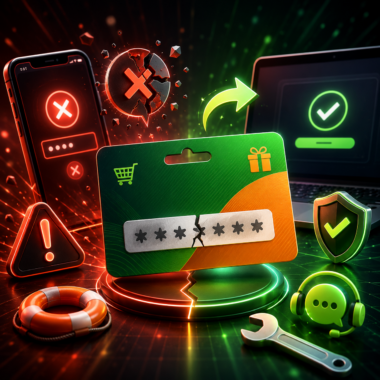
A code may not work because it was entered incorrectly, has already been redeemed, is connected to the wrong region or account, or contains extra spaces. Check for similar characters such as “O” and “0,” or “I” and “1.”
A payment may also fail because of a product restriction. Check the card listing to see whether the product, service, or order qualifies.
If the payment page or website is temporarily unavailable, try again through the official Mighty Ape checkout. Avoid third-party pages that ask for your Mighty Ape password or make you enter a code multiple times.
Check that you have the correct email for a digital card and that a physical card has readable numbers and code details.
Safe Buying and Code Protection
For each purchase, check that the card value, currency, delivery method, and redemption terms are visible on the New Zealand seller page. Check out digital and physical cards at the gift card store. For other prepaid payment methods, visit Payment Gift Cards.
Do not give your Mighty Ape password to the seller. Keep the code and delivery email secure, and only send them to the intended recipient.
Other Gift Card Options
If the recipient enjoys streaming, music, movies, audio, or books, Entertainment Gift Cards can be a better choice. For grocery shopping, consider Supermarket Gift Cards.
You can also take a look at Travel Gift Cards for travel purchases. These may be better options if the recipient does not buy games, toys, books, or electronics.
Conclusion
Once you understand how to redeem Mighty Ape gift card at checkout, the process is straightforward. Make sure you are logged in to the correct account, enter the code in the correct payment field, confirm the order, and check the new balance.
Before purchasing a gift card, look at the region and delivery terms and check the rules regarding split payments. Keep your receipts and gift card codes somewhere safe until you have used the full value of the card.