





























Complete Guide to myPaysafe Accounts
myPaysafe accounts help users manage Paysafecard PINs, prepaid balances, and online payments. Rather than dealing with each individual voucher separately, an eligible account may allow users to add balances, check previous transactions, and pay participating merchants.
This guide explains how to use myPaysafe, including account creation and verification, adding PINs, managing balances, combining multiple vouchers, understanding payment limits, protecting the account, and using other account features.
myPaysafe Explained
myPaysafe accounts are integrated with Paysafecard services. The available features vary by country and account type, but users may be able to add vouchers, manage prepaid balances, and use those balances for online purchases.
A myPaysafe account works as a prepaid payment account. This means spending is limited by the available balance and the rules of the participating merchant. Not every country’s account allows users to manage several vouchers in one place. Some merchants may require users to enter a voucher PIN directly at checkout.
Be sure to review the available Paysafecard vouchers and confirm the product terms before adding a PIN.
How to use myPaysafe for the First Time
Depending on your country, the account setup process may differ slightly. In general, the steps are as follows:
- Visit the official myPaysafe website or download the official app if it is available.
- Select your country or region.
- Enter your email address and create a password.
- Complete the requested account information.
- Verify your email address or phone number.
- Complete any other confirmation requested by the service.
- Review and accept the account terms to finish registration.
When creating an account, choose the country carefully. The country connected to the account may determine the available vouchers, supported merchants, currency, and transaction limits.
Do not create multiple accounts simply because a voucher is not working. Multiple accounts can make balances harder to monitor and verification more complicated.
Verification helps protect the account and may be required by local laws or the payment provider’s security procedures. Basic verification may require confirmation of an email address or phone number.
Depending on the country, transaction value, account activity, or requested service, myPaysafe may ask for additional information such as your name, address, or identity details.
Check the following information before submitting your account request:
- The account information is accurate.
- Your email address is accessible.
- Your phone number is valid.
- The selected country is correct.
- Any requested verification information is complete and valid.
Avoid repeatedly submitting information that you know is incorrect. Contact official support if you still cannot verify the account.

How to use myPaysafe with a Paysafecard PIN
Adding a PIN is one of the main functions of myPaysafe. The option may be shown as “Add PIN,” “Top Up,” or another similar button.
The process usually looks like this:
- Sign in to your myPaysafe account.
- Open the balance, wallet, or PIN management section.
- Select the “Add Paysafecard PIN” option.
- Enter the complete 16-digit PIN.
- Confirm the transaction.
- Check that the balance has been updated.
When adding a PIN, make sure the voucher currency and region match your account. The PIN may be declined if it was purchased in another region, has already been used, or is not supported by the account.
Some merchants allow customers to enter a PIN during checkout instead of adding it to the account first. Follow the instructions shown on the payment page, and do not enter a PIN again if it has already been accepted.
Managing Multiple Prepaid Vouchers
Managing multiple prepaid vouchers can become difficult, but myPaysafe may make the process easier. In supported regions, users may be able to add several PINs to one account and make a payment using the combined balance.
However, multiple vouchers cannot always be combined. Limits may apply to:
- The number of PINs added within a specific period
- The maximum account balance
- The total value of transactions
- The country or currency of each voucher
- The type of merchant or payment
- The account’s verification status
Add vouchers individually and check the balance after each transaction. Keep the voucher receipts and delivery confirmation emails until the full value has been added successfully.
If one PIN cannot be added, check whether it has already been used, whether it was entered correctly, and whether it comes from the same region as your account. Do not share the PIN with anyone offering unofficial support.
Maintaining Your myPaysafe Balance
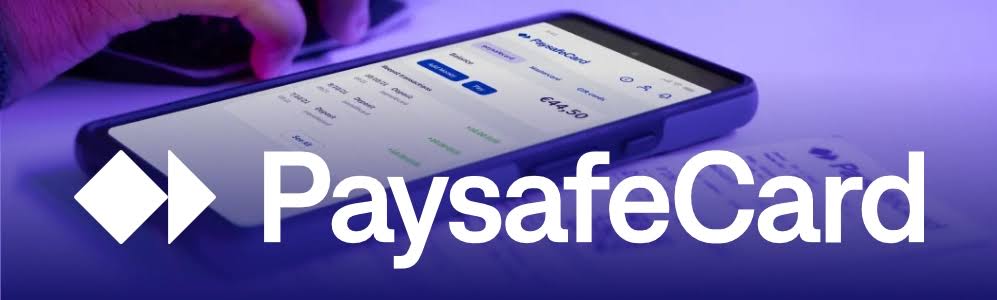
Regularly checking your balance can help prevent transactions from being declined because of insufficient funds. After signing in, review your available balance and recent transaction activity.
Keep the following details in mind:
- Available balance
- Pending or recently completed transactions
- Balance currency
- Applicable service conditions
- Total cost of the planned transaction
- Currency conversion costs, taxes, service fees, or merchant charges
A balance that appears to cover the purchase price may still be insufficient if the merchant adds taxes, fees, or other costs during checkout.
Some local voucher or account terms may include conditions for unused balances, expiration periods, or service charges. These terms can differ by country, so review the current conditions that apply to your account.
How to use myPaysafe for Online Payments
Here is how to use the account for an online payment:
- Visit a website that accepts Paysafecard or myPaysafe.
- Add the product or service to your cart and open the checkout page.
- Select Paysafecard, myPaysafe, or another available prepaid payment option.
- Sign in to your merchant account if required.
- Choose the available balance or enter the requested PIN.
- Check the total payment amount and confirm the transaction.
Not all merchants support myPaysafe balances. Some websites accept a single payment PIN but do not support a myPaysafe account balance. Other merchants may support the account option only in certain countries.
Payment support can also differ between one-time purchases and recurring services. Streaming, software, gaming, and membership services may require another payment method for automatic renewal. You may want to browse other Payment Gift Cards for prepaid purchase options.
For gaming payments, a Gaming Gift Card may be more suitable when a specific platform format is required. For digital entertainment and subscription payments, an Entertainment Gift Card may provide another option.
Understanding Payment Limits
Payment limits may apply to an account, voucher, merchant, or country, and they can differ between users.
Possible limits may include:
- Minimum and maximum transaction values
- Daily or monthly payment limits
- Maximum account balance
- A limit on the number of PINs added
- Restrictions on unverified accounts
- Merchant-specific payment limits
- Restrictions on certain currencies or countries
Verifying the account may be required to access certain features or higher limits. Merchant-specific rules may still apply even after the account has been verified.
Payment declines can be related to the balance, account status, region, currency, or transaction amount. Multiple failed payments may also trigger a temporary security review.
Account Security Tips
Keep your myPaysafe account and PIN information secure. Create a unique password and use two-factor authentication if it is available in your region.
The following security measures are recommended:
- Use the official website or app.
- Never share your PIN or password.
- Avoid logging in through links in unexpected emails.
- Check the website address before entering account details.
- Avoid using a public computer.
- Monitor your transaction history.
- Log out of shared devices.
- Contact official support if you notice an unauthorised transaction.
- A legitimate support representative will not ask for your full password. Do not post your voucher PIN on forums, chats, or social media.
Common Problems and Solutions
If a payment or PIN is not working, consider the following possible causes:
- The PIN was entered incorrectly.
- The voucher has already been redeemed.
- The account and voucher regions do not match.
- The balance is too low.
- The account has not completed verification.
- The merchant does not support myPaysafe.
- The transaction exceeds an account or merchant limit.
- The payment service is temporarily unavailable.
Save your order number, receipt, delivery email, and error message. Contact the seller if the PIN was not received or appears to be inactive. Contact myPaysafe support if the balance is missing, the account is locked, or an unauthorised transaction appears.
Other Prepaid Payment Options
If the merchant does not support myPaysafe, check other options in the gift card store. For retail purchases, consider Shopping Gift Cards. For certain online payments, a Flexepin voucher may also be suitable.
Before selecting another prepaid payment method, confirm the region, currency, merchant support, and payment terms.
Overall Thoughts
After learning how to use myPaysafe, it can be a reasonably flexible option for managing multiple Paysafecard PINs and prepaid balances. The main points to review are account verification, account eligibility, voucher region, balance limits, and merchant support.
Keep your account details and PINs secure, check transactions regularly, and contact support if the balance or payment does not look correct. With the right region and account settings, myPaysafe can make prepaid payments easier to manage.