
How to Use a League of Legends Gift Card
Redeemable codes on gift cards make adding RP to your account simple, regardless of the payment method available. However, the gift card redemption process can be rather daunting if the card is for a foreign region, if the code is entered incorrectly, or if RP fails to show after entering the code.
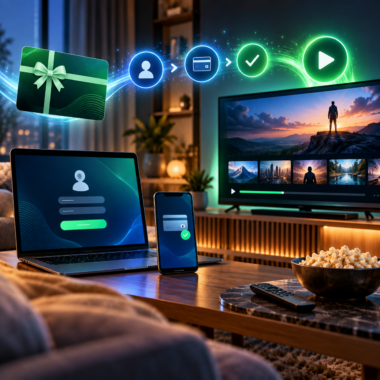
The first step in learning how to redeem League of Legends gift card codes is to confirm which region the account is registered to. Next, you need to know which client is specific to that region. You then enter your code and verify that the RP has arrived.
Redeeming a League of Legends Gift Card
Before loading up the game, check the delivery email or the physical card if you have it. Make sure that the code is for League of Legends, rather than another game, and that it is for the region where your account is registered.
A gift card purchased for one region may not function properly with an account registered in another region. You should check the country, server region, and currency as well. For example, a gift card purchased in North America may not work with an account created in Europe or another region.
You need to use the correct Riot account. RP is added to the account signed in when the code is redeemed and normally cannot be moved to another account. When purchasing gaming gift cards online, be sure to check the product description, region, and delivery details before buying.
Keep the code private until you are ready to use it. Save the receipt and order confirmation in case there is a problem with the code or delivery.
How to Redeem League of Legends Gift Card in the Client
The most common method of redeeming a card is in the League of Legends client. Button names may change slightly, so the order may vary with updates, but the steps tend to be the same:
- Launch the League of Legends client.
- Sign in to the Riot account where you want to receive the RP.
- Verify that you have selected the correct account and region.
- Access the Store.
- Find Purchase RP, Prepaid Cards & Codes, or Redeem Code.
- Enter the gift card code as shown.
- Select Redeem, Submit, or the confirmation button.
- Close the client once the confirmation is received.
In some client versions, the redemption option may be located in the Account or Payment menu. If you cannot find it, look for help documents from Riot Games support or a code redemption link in the Store.
When learning how to redeem League of Legends gift card codes, do not add spaces, change letters, or use similar-looking characters in place of the correct ones. If the code was sent to you by email, locate it in the original order message and make sure no characters were cut off.

Check the Server and Region Match
The inability to redeem League of Legends gift cards is usually due to a mismatch between the server and account region. Riot gift cards are not cross-market, and availability differs depending on where the card was sold.
Before redeeming, check:
- Your card’s indicated region
- The region associated with your Riot account
- The region of your account’s server
- The account’s currency
- The terms and conditions for the region
Changing the client language does not change the account region. VPNs can also create a mismatch between your location, account information, and payment region. It is safer to use your account’s normal region and confirm compatibility before buying.
If you are confused about which card to pick, review the gift cards available online for your region, but be sure to read the product descriptions.
How RP Is Added to Your Account
After a successful redemption, you should see an update to your Riot account balance in the client. In most cases, it takes a few seconds or minutes to update. Check your RP balance at the top of the client once you return to the Store.
If you cannot see the RP immediately after redeeming the code, do not redeem the code repeatedly. Sign out, relaunch the client, and sign in again. Check whether you received a code acceptance message or whether your balance was updated without showing the RP immediately.
If you are still unsure how to redeem League of Legends gift card codes, remember that the RP amount can differ between countries or regions because of currency conversion and regional card values. RP is usually spent on cosmetic additions to the game, such as champion skins, emotes, and other cosmetics. RP is not equivalent to Blue Essence and normally cannot be traded to another player.
Common Failures During Redemption
Before contacting support, check the most common reasons why codes fail.
Invalid Codes
Misspellings or extra spaces can cause codes to fail. Verify all characters, avoid additional symbols, and do not skip any characters.
Code Already in Use
In most situations, each code can be redeemed only once. The code may have been redeemed on another Riot account. If it was recently purchased, contact the seller’s support team while keeping the receipt as evidence.
Region Mismatch
Even valid codes can fail when there is a region mismatch. Check whether the card’s country is the same as the account region, and do not share the code with anyone else.
Expired Code
Each code may be valid for a specific amount of time. If the code does not work, check whether it has expired and review the terms printed on the card or shown in the delivery information.
Temporary Service Issue
There may be verification issues with your Riot account, maintenance, or server problems with Riot services. If the Riot service status does not indicate any issues, try again later. Problems with other parts of the client do not necessarily relate to the gift card.
Restricted or Invalid Card
Restricted codes may occur when sellers do not activate codes properly, codes come from unauthorized sellers, or codes are reported as suspicious. Contact the seller or Riot support with your transaction information and region details, and do not post your code in a public place.

Safe Use of Gift Cards
Check the country, currency, delivery method, and redemption terms of your payment gift cards before buying. You can compare other payment gift cards if you want more options, but not all payment gift cards can be used for Riot Points purchases.
Do not send your gift card code to anyone promising free Riot Points, upgraded accounts, refunds, or rewards. Keep the code and purchase records private.
Entertainment gift cards can be used for many subscription services, while shopping gift cards may be more suitable for retail purchases. Supermarket gift cards can be useful for grocery shopping, and travel gift cards can be used for travel-related expenses.
Last Check
Confirm the following before redeeming your gift card:
- You are signed in to the correct Riot account.
- The gift card’s country and region match your account.
- The gift card has not been redeemed.
- The code is entered exactly as shown.
- You have saved the receipt and order details.
- You wait for confirmation before trying the code again.
Redeeming League of Legends gift card codes is easy, but doing so incorrectly can become lengthy and complicated. Codes have regions associated with them, so make sure to check that information. Use the official client instead of downloading third-party clients, and keep the code private. For anyone learning how to redeem League of Legends gift card codes, checking the region first can prevent many common problems. Once you have verified that your RP balance has updated, you can move on to the next code. If the redemption still does not go through, save your records and contact the seller’s customer service.