





























Neosurf Voucher Code Not Working? Common Problems and Possible Solutions
Neosurf is an online payment system offering customers the ability to pay without a bank card or bank account. Once you purchase a Neosurf voucher, you receive a unique code which you can then use to pay for goods and services at websites that accept Neosurf. This method could be used for online gaming, entertainment, and more.
But sometimes, the vouchers do not work.
If you have a Neosurf voucher code not working during checkout, it doesn’t always mean the voucher is fake or lost. Maybe the code was entered incorrectly, or your region or the supported websites have restrictions, or the balance on the voucher code is depleted.
Before contacting customer support, we provide some troubleshooting ideas that will help clarify what the issues could be that you are having with Neosurf voucher codes.
How Does a Neosurf Voucher Code Work? What Is a Neosurf Voucher Code?
A Neosurf voucher code is a prepaid code that you can purchase for selected online stores. Neosurf describes their vouchers as prepaid tickets. The reason for this is because each voucher comes with a PIN. The PIN allows users to complete an online payment without the need for a bank account. They can be used at some partner sites, which include online gaming, gambling, financial services, and e-shopping, but this depends on the merchant and the region.
If we simplify the process, buying the voucher gives you a code, and you can then use that code at any website that accepts Neosurf.
You don’t need a credit or debit card to make spendable money online. Instead, you can use Neosurf vouchers that load cash. Since these are prepaid vouchers, you can only spend what’s loaded.
This is how users determine if they should buy a Neosurf voucher online for online gaming, entertainment, and other digital prepaid purchases online.
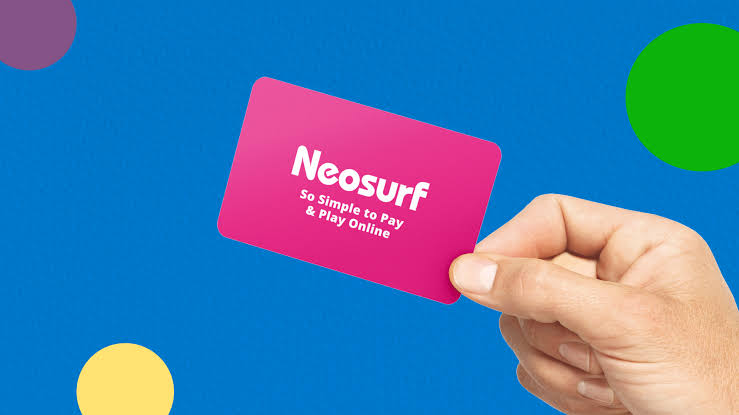
How to Use Neosurf for Online Vouchers
Usually, the whole process is simple.
Order Neosurf vouchers online or buy them in a trusted local shop.
You will be given a secured PIN.
Now, go to a site that accepts Neosurf.
Select Neosurf as your payment option, and enter the code for the voucher. Just remember, the code has to be valid.
Users can select a variety of merchants and enter their Neosurf PIN to complete their purchases. Neosurf vouchers are accepted by many online gaming and entertainment sites, e-commerce shops, and wallet top-up services.
If your payment fails, there is likely a problem with your code, merchant, region, or voucher balance.
Why Is My Neosurf Voucher Code Not Working?
There can be multiple issues and some are easy to resolve, while others are more complicated. Those cases may require assistance from a seller or merchant, or you may need to contact Neosurf support.
Problems with Neosurf vouchers occur because:
- Wrong code entry.
- Used voucher.
- Voucher has no balance.
- Merchant does not accept Neosurf.
- Region or currency mismatch.
- There is a temporary issue with the merchant or the payment.
- The voucher was bought from a suspicious seller.
- There are restrictions due to account or payment limits.
Try the simplest things first before moving on to complicated solutions. This may have been caused due to the wrong use of the voucher or an entry error.
1. Neosurf Voucher Code Is Incorrect
This is the most likely reason as to why the payment has been declined.
Manually entering the code can lead to mistakes. If just one digit is typed wrong, the code could be deemed invalid.
Before jumping to conclusions about the voucher not working, check the code.
Look for missing or incorrect formatting of the code.
Ensure there are no extra spaces, all characters are present, and be careful about copying any hidden spaces from your email.
Be cautious with similar looking letters.
You should be able to solve the problem if you have a digital Neosurf voucher and enter the code carefully.
Most issues with an invalid code should be resolved after checking the PIN again.
2. The Voucher Has Already Been Redeemed
A voucher already being redeemed is another common reason the payment could be declined.
A Neosurf voucher code works like a prepaid balance. If the PIN was already used, the balance will probably also be used or the voucher will become unavailable entirely.
This can happen for a number of reasons:
The code was used on a different website.
The PIN was used by another person.
The voucher was inputted into the wrong account.
You purchased the code from a sketchy seller.
A previous transaction might have been overlooked.
When a customer has an issue with a Neosurf voucher code not working and the notification states that the code has been used, it’s best to check prior transactions. Search emails, merchant accounts, and payment history.
If you are sure that you haven’t done so, reach out to the seller and present them with the order confirmation.
3. The Merchant Doesn’t Accept Neosurf
Some websites do not accept Neosurf as a form of payment.
Your voucher could still be active, but it will not work if the merchant doesn’t use Neosurf. Neosurf vouchers are only usable at partner sites or websites that offer Neosurf as a payment option at checkout.
Make sure to see if the payment page of the site you want to visit shows Neosurf.
At the checkout page, you should be able to see Neosurf in the available payment methods.
Look on the merchant’s site for info on payment options.
Verify that Neosurf is supported in your country.
Ascertain whether the use of vouchers or payments from a My Neosurf account is permitted.
Some sites accept payments via Neosurf vouchers from certain countries only. Other sites may accept payments via a My Neosurf account, but do not permit payments using direct PIN vouchers.
4. The Voucher Region or Currency Does Not Match
Region mismatch is one of the most common reasons payments fail. It means that the region of the voucher does not match the region of the account or merchant.
Neosurf vouchers can be region locked. If you attempt to use the voucher on a site that does not take that country, region, or currency, your payment will fail.
This may happen in situations such as:
- The voucher was bought from a different country.
- The merchant accepts only local Neosurf payments.
- Your account’s region does not match the voucher’s region.
- The website’s currency is different from the voucher’s currency.
- The seller left the voucher region unclear.
Make sure you check the country and currency that the Neosurf voucher will be associated with before you buy it. Since different countries have different currencies, it’s easy to end up with a region mismatch.
If your code is valid yet payment is rejected, region mismatch is likely the problem.
5. Your Voucher Balance Is Low
It’s possible for the code to work and payment to be rejected because the voucher balance is too low.
Let’s say you have a Neosurf voucher. If your Neosurf voucher does not have enough balance to cover the total amount of your purchase, you will not be able to make the payment.
This could be due to:
- The voucher being used earlier
- The final amount changing due to fees or currency conversion
- The merchant requiring the entire amount to be paid with a single payment
- The voucher value being less than the checkout total
- The purchase including additional service charges
If possible, check your Neosurf voucher balance before trying again. This balance gives you an idea if it is an issue with the code or if it is due to not having enough funds.
Based on how much balance is left, you will likely need to buy another voucher, lower the amount, or use a different payment method.
6. The Voucher Was Purchased From An Unreliable Seller
Where you buy the voucher from does matter.
Buying codes from random marketplace sites, social media sellers, or unregulated resellers has a greater probability of being invalid, region-locked, or already used.
Neosurf vouchers are assigned to a specific region and valid code, so it is better to buy them from reliable online sellers or local stores.
To simplify the buying process, reliable sellers should be used.
Avoid sellers that are offering deals that are too good to be true.
Refrain from buying codes from just anyone.
Check the seller’s reputation.
Do not ignore the region or currency details before purchasing.
A code that isn’t working is worth less than the discounted price.
7. The Merchant Is Having Payment Issues
The issue may not be with the voucher.
The merchant’s payment system may be down temporarily, or there may be issues with Neosurf payments on that site. This is common for gaming, entertainment, and online services, especially during maintenance or peak traffic periods.
Here are some tips to resolve this issue:
- Refresh the page.
- Take a break and try again later.
- Change browsers.
- Clear cache.
- Switch from mobile to desktop.
- Look for payment notifications on the site.
The issue is most likely with the merchant if you can use the same code on different sites.
8. That Payment Method Does Not Accept Vouchers
Some merchants have payment method restrictions for each purchase.
So, depending on the merchant’s payment method, using a Neosurf voucher code may be permitted for deposits or balances but not for subscriptions, withdrawals, refunds, bonus sales, or services that are restricted.
If one item or service doesn’t work with your voucher, check the merchant’s policy on it.
Read the section that includes prepaid vouchers.
Make sure Neosurf is an accepted payment method for that purchase.
Check that the merchant does not require account verification first.
Check if there are minimum or maximum payment limits.
This is particularly relevant for financial services, gambling sites, or regulated services, which often have more strict payment regulations.
Checking Your Neosurf Voucher Balance
Before trying to use your voucher, check your balance if you think there’s a problem.
To see how much your voucher is worth, visit the official Neosurf website.
You should be able to find a balance check option.
Ensure that you’re on the official Neosurf website when you check your balance.
Your balance will be shown to you.
Avoid using any random balance checker sites when checking.
If the balance shown is less than you expect, examine whether you’ve used the voucher before.
If you’ve not used it, reach out to the seller with proof of purchase.

Your Neosurf Voucher Code Not Working? Here’s What to Do
When your Neosurf voucher code not working issue continues, you can do the following:
Try typing the code again.
Check to see if the code is valid.
If the code is valid, check if it is active.
Ensure that the merchant accepts Neosurf in your country.
Be cautious of currency restrictions, as that might affect your ability to use the code.
Try a different web browser or device.
If the payment page isn’t functioning, wait a while before attempting again.
Contact the seller if you think the code may be invalid or already used.
If the code has not been used, but is still being rejected, you should reach out to Neosurf or the merchant.
When you reach out to support, remember to include the order receipt, the amount on the voucher, the date of purchase, the name of the merchant, the error message, and screenshots if you have them. Don’t share the code PIN online.
How to Prevent Problems Using Neosurf
You can create certain behaviors that should help with problems related to using your voucher.
Always purchase from authorized retailers.
Always select the correct region and currency.
Only use websites that accept Neosurf.
Check your total at checkout.
Never share your PIN.
Always keep your receipt.
Use your voucher before the expiration date and verify the code balance if you haven’t already.
If you are sending a Neosurf voucher online to someone, instruct them to use it only on secure sites and ensure that the merchant accepts Neosurf before attempting to pay.
Final Thoughts
The process of figuring out why your Neosurf voucher code not working is annoying and can be very frustrating.
Always remember to inspect the code entry, the balance on the voucher, the merchant support, the region and currency, whether or not the voucher has been used, and other issues related to the payment page of the merchant.
As long as you buy a Neosurf voucher from a reliable vendor and redeem it on an accepting site, it’s a great way to make prepaid payments. The safest way to use your PIN is to keep it like cash, to yourself. Also, make sure to check the site before you pay.