How to Redeem Razer Gold Gift Card: Step-by-Step Instructions
Razer Gold is a gaming credit system that allows users to purchase games, in-game items, entertainment, and other digital purchases. Razer Gold is an excellent option for gamers who want an easy way to add gaming credit to their accounts without using a credit or debit card. This becomes particularly important when users search for how to redeem Razer Gold gift card to help them complete their gift card transaction or before they start adding money to their Razer Gold account.
A Razer Gold gift card provides credit to the gamer instead of providing a pre-determined game or in-game item. After the gift card is redeemed, the user’s Razer Gold wallet will be loaded with the value of the gift card, which can be used to purchase any eligible games and other digital products.
However, there is a specific procedure for redeeming Razer Gold gift cards. Before redeeming the gift card, the user must ensure that the country and currency of the account are the same as those of the card, that the wallet balance is suitable for the card value, and that the merchant is supported. This article will cover both the basic steps needed to redeem a Razer Gold gift card and the common mistakes that occur when attempting to redeem a gift card.
What Is a Razer Gold Gift Card?
A Razer Gold gift card is a prepaid card that is used to add money to a Razer Gold wallet or purchase digital gaming content.
Razer Gold offers in-store credit, though it is not like the standard retail gift card. The funds are mainly for gaming and other digital entertainment services. Razer states that Razer Gold wallet funds, once added to the Razer Gold Wallet, are only valid for purchases of digital content and services on Razer Gold and the partner sites.
This shows that customers shouldn’t think of it like cash. It is similarly not always a shopping card for Razer.com for hardware or accessories.
For existing users, Razer Gold provides a simple solution. It allows them to top up their wallet and purchase amounts for games that are included in the supported list.
Gift Card PIN Terms
Before you redeem the PIN, make sure you check the details on the gift card carefully. You need to confirm the card value, country, currency, PIN number, and that the card is for Razer Gold.
Some Razer products may appear similar, but they are not interchangeable. A Razer Gold PIN is typically for the Razer Gold wallet or direct top-up use. Depending on the country, the terms may allow a Razer Gift Card to be used in other Razer channels.
Razer’s gift card page for the US states that a Razer Gift Card can be used on Razer.com, at RazerStores in the US, and to add money to a Razer Gold wallet. However, once money is added, it is not possible to use the credits for Razer.com or RazerStores.
Things to note before entering the code: be sure to know what kind of card you possess as well as where you want the money to go.

Instructions: How to Redeem Your Razer Gold Gift Card
The first step to redeeming your Razer Gold gift card is visiting Razer Gold’s official site which correlates with your country or region.
After that, you must log in to your Razer Gold account. If you do not have an account, one can be created for free. Razer’s gift card page says users need to visit gold.razer.com and log in before doing anything else with a Razer Gift Card.
Then, you must select the option to Reload or Razer Gold PIN. On pages for Razer Gold PINs, Razer requests users to input the PIN located on their Razer Gold Gift Card or from an authorised retailer.
Type the PIN as it appears. Do not include unnecessary spaces, leave characters out, or make typing errors.
Then, confirm the redemption and check if the value was added to your Razer Gold wallet or used to purchase something.
Importance of Account Login
Logging into your account is extremely crucial. Razer Gold balance will be tied to the account you used while redeeming the gift card.
If the code was redeemed on the wrong account, it will be stuck there and you will face difficulties retrieving it once the code has been used.
Make sure to check that you are logged into the account you use for gaming purchases. If you have more than one Razer account or if you share a computer with someone, this is important to note.
If you’re purchasing a gift card for someone else, do not redeem the PIN yourself. Make sure to send the code securely to the recipient, and let them redeem it on their account.
This is a key part of understanding how to redeem Razer Gold gift card properly.
Checks on Region and Currency
With Razer Gold, checking your region and currency is imperative. Razer states that Razer Gold is supported in varying regions and currencies. It is best to choose a currency that corresponds with your region to avoid unneeded conversions. If the user resides outside the specified regions, Razer recommends selecting Others, which automatically uses US Dollars.
This means checks on your country and currency should be done before redeeming.
A Razer Gold PIN from one country may function differently from Razer Gold PINs from different countries. Depending on the region, some cards may be advertised as USD, while others will be associated with a specific local currency.
If a card is meant for the incorrect region or currency, the redemption is likely to fail, the card may be converted, or there may be confusion regarding the remaining balance.
Prior to redeeming or purchasing, ensure to confirm the recipient’s country, region of their Razer Gold account, wallet currency, and card currency.

Wallet Balance and Expiry
Once redeemed, the value appears in the Razer Gold wallet balance if applicable as a wallet reload. The balance is used, among other things, for eligible Razer Gold digital content and services, and services offered by partner platforms.
According to Razer’s help page, Razer Gold wallet balances do not expire. However, promotion and contest Bonus Razer Gold is subject to expiry within 30 days of issuance. Users can view Account Summary for expiring balance information.
This makes sense as bonus balances are different from normal wallet balances, as they likely need to be spent sooner than normal wallet balances.
Additionally, Razer states that bonus Razer Gold is spent first when users make purchases from partner content. This indicates that the account may use some bonus balances before using standard balances.
What Can You Buy With Razer Gold?
Razer Gold is used for entertainment content and games on Razer Gold and partner websites. Razer claims that users can access the catalogue of over 33,000 games and entertainment content that can be redeemed using Razer Gold.
This is what makes gaming gift cards ideal. They provide the recipient with the flexibility to choose the digital game content instead of being limited to one fixed item.
For gamers who purchase in-game currency, game top-ups, digital content, or entertainment credits, Razer Gold can be beneficial. It is also ideal for customers who want to spend on gaming with the prepaid option.
However, before reloading a large amount, the user should confirm whether their vendor or game supports Razer Gold.
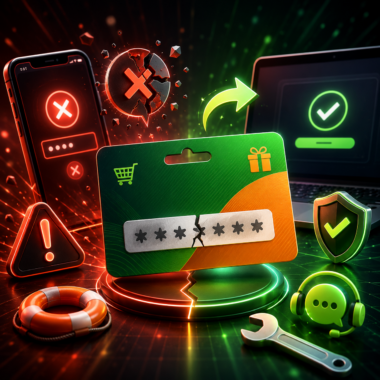
Issues When Redeeming Gift Cards
One of the most prevalent issues is inputting the wrong PIN. Razer Gold PINs can include numbers and letters, and even one character being out of place can cause the redemption to fail.
Problems can also arise when people are not logged in. If a session has expired, or the user has not logged in, the redemption will not go through. Due to session timeouts, Razer Gold PIN pages may require users to log in once more.
An additional problem is related to regions and currencies. If users have the incorrect region or wallet currency selected, the redemption will not work as intended.
Lastly, cards may not work if they have previously been redeemed, were purchased from a sketchy seller, or aren’t intended for Razer Gold.
It is best to double check the PIN, account login, region, wallet currency, card type, and if the code has been used to see why a redemption may not have gone through.

Tips for Safe Buying
Reliable sellers should be chosen to purchase Razer Gold gift cards. Overly cheap cards may be sold as they can be invalid, used, region locked, or delivered in an improper way.
Before purchasing, check the value of the card, country and currency, delivery method, and usage terms.
If you purchase an online gift card, keep the PIN secret. Do not publicly share the Razer Gold PIN around in chats, screenshots, or anywhere on social media.
Also, ensure that the product page states Razer Gold and not just Razer hardware or a gaming platform. Many similar gift cards exist and they may have different usage terms.
If the person you are gifting it to uses Razer Gold, or plays games that have Razer Gold as an in-game purchase option, this card will be relevant. Otherwise, if this is not the case, you might want to look at digital gift cards.
Who Is It Relevant To?
A Razer Gold gift card is relevant to most gamers since anyone who plays games that have Razer Gold as an in-game purchase option can use it. This includes online games, PC and mobile games, as well as games that have in-game purchases because they need to buy payment tokens.
This can be a birthday gift, gaming reward, holiday gift, thank-you gift, or top-up gift.
Also, people who do not want to use their credit cards for every game purchase find a prepaid card useful as it gives them more control than a credit card.
This is not to say that it is useful for everyone. If the person does not use Razer Gold, does not play games that are supported, and needs credit for some other platform, then this card is not very useful.
Is It Worth It?
If the recipient is not very sure about where to spend the balance or does not have a Razer Gold account, then the answer is no. A Razer Gold gift card is not useful for them.
A gaming gift card is used for game top-ups, in-game purchases, magazines, movies, and other forms of digital entertainment.
It is also a no for redeeming the Razer Gold gift card if it is just done blindly. If the region, currency, account type, or card type is incorrect, then it will not be able to redeem anything.
Also, always make sure that the game or merchant actually accepts Razer Gold before redeeming it as there are some that do not.
Conclusion
Understanding how to redeem Razer Gold gift card helps in preventing issues such as PIN errors or logging into the wrong account, as well as avoiding region or currency mismatches.
Log in to the correct Razer Gold account, select the correct region and wallet currency, enter the Razer Gold PIN carefully, and after completing the process, check to see if the balance is updated to confirm.
The primary advantages include control over prepaid spending, ease of use across supported games and digital content, and gaming credits. The main restrictions involve region and currency limitations, confusion around the card type, and requiring the user to keep the PIN secure.
For recipients with existing Razer Gold accounts, a Razer Gold gift card is a great gift for purchasing games, in-game items, and digital entertainment content.