























How to Redeem Google Play Gift Card: Step-by-Step Guide for Play Store Credit
If you’re trying to learn how to redeem Google Play gift card codes, understanding the process can be quite simple. Most of the trouble comes not from not knowing where to redeem the gift cards but from issues related to regional restrictions, issues with a Google account, typos, or purchasing the card for the wrong country.
Google Play Gift Cards allow the holder to add funds to their Google Play account, which can then be used to purchase apps, games, in-app purchases, movies, books, and subscriptions depending on Google Play’s eligibility requirements.
When redeeming a gift card, there are two issues that may cause problems: the Google account and the card region. Both issues can cause a valid code to fail.
[Brower All Google Play Gift Card]
Google Account and Region
Start with the Google account. If you have multiple Gmail or Google accounts on your Android device, ensure that the correct one is selected prior to redeeming the card. Google Play credit is added to the account that redeems the gift card.
Your next step is to confirm region. Google Play Gift Cards are region locked. Gift cards purchased in one country will generally only be usable in the country and currency. Google states that users may need to be in the country where the gift card was purchased or where the promotion is valid when redeeming the card.
If your Google Play user account set to New Zealand, don’t think that a US or Australian Google Play card will work. The card country, currency, and account region must match before purchasing or redeeming.
Redeeming Google Play Gift Cards on Android
Most users will use this method when learning how to redeem Google Play gift card codes on Android.
First, go to Google Play Store on your Android devices and tap on your profile picture located on the top right. Then head to ‘Payments & subscriptions’ and select ‘Redeem code’. Enter the gift card code and confirm.
Once done, assuming the code is valid, the money will go to the Google account that was selected. You will be able to use it on eligible purchases on Google Play.
This process is pretty simple if it’s for yourself. Just make sure that you are logged into the right account before you start. It’s really easy to accidentally redeem a code for the wrong Google account.
Redeeming Google Play Gift Cards Online
If you have a Google Play gift card code that you received via email or any other digital means, redeeming it on the web is a pretty easy approach and is preferred. This way you can easily paste the code rather than entering it manually on your phone.
Sign in to the Google account you want the balance added to, and go to the Google Play redemption page.
Then, enter the code, verify that it is correct, and confirm the redemption.
Using a desktop or laptop is cleaner than using the mobile app when it comes to putting in a code.
Keep in mind, the account must be correct, and the gift card region must match the Google Play account region.
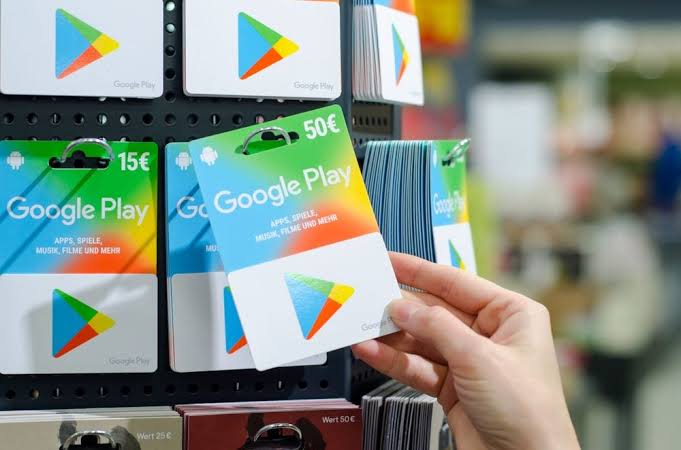
Android vs Web: Which Redemption Method Is Better?
The preferred method comes down to personal preference and where your code is located.
If you already have the correct Google Play account open on your phone, you can redeem the code quickly using the Android method.
Using the web method may be a better choice if you received the code in an email or if you want to copy and paste the code rather than risk entering an incorrect character.
The end result is the credit being added to the Google account used to redeem the card, more than which device you use is the account and region.
What Can You Use Google Play Credit For?
Play credits can be used to buy apps, games, in-app purchases, books, movies, and subscriptions.
Gamers utilize Google Play credit to purchase in-game currency, premium content for games, battle passes, subscriptions, and upgrades for Android games.
Google Play Gift Cards can be useful for parents, as they can put a cap on how much their kids can spend without having to put a card on their account.
Why Your Google Play Gift Card May Not Work
There’s a number of reasons as to why your Google Play gift card might not redeem. This is also where people searching how to redeem Google Play gift card codes usually run into problems.
One reason could be that you entered the code incorrectly. The code can contain similar looking letters and numbers. If you received the code via email, try copying and pasting the code. If you are pulling the code from a physical gift card, double check each character.
Another reason could be that you’re using the wrong Google account. If you have several Google accounts on the same device, you might have balances in Accounts that you are unaware of, or you might be trying to redeem the code with the wrong Google account.
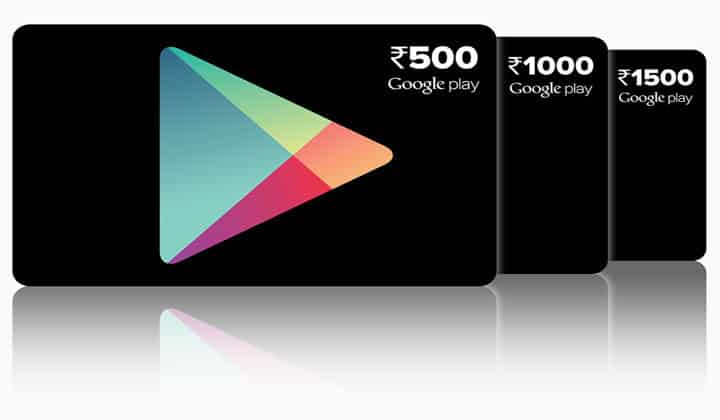
One of the biggest reasons has to do with region. Google Play gift cards can only be redeemed in the country and currency that you purchased the card in. If the country of the card is different than the country of your Google Play account or the country in your payment profile, then you’ll be unable to redeem the card.
Finally, Google Play gift cards can only be redeemed once. If the code is still in mint condition and you believe it has never been redeemed, it is still possible that the code is already assigned to someone else.
We can consider the fifth case to be activation issues or seller issues. If you did not activate your card right, or your digital order was not processed in the correct manner, the code likely won’t work.
The sixth case could be system delay. Sometimes Google Play may be delayed in updating your balance or in completing a redemption. If everything looks fine, just be patient and try signing out and signing back in. You can then check once more.
What to Do If the Code Is Not Working
Before you do anything else, check the code to confirm you have not missed any characters, added any extra spaces, or made any tracking errors. Then, check to make sure you are signed into the correct Google account.
Next, check the country and currency. The region of the gift card should match the country of your Google Play account and the payment profile. If they do not match, that is probably the issue.
If the code states that it has already been redeemed, check to see if an account belonging to someone in your home might have used it. If not, reach out to the seller and provide your order number along with the specific error message.
If the code seems inactive, reach out to the seller first. They may be required to check whether activation or delivery has been completed.
Do not post your entire code online. If you need assistance, use a private support channel and share only your order info along with the error message.
Guidelines Before Purchasing a Google Play Gift Card
If you plan to shop for a card online, check the region first. After that, look for the currency, value, and delivery method.
When purchasing the product, ensure that it is a Google Play Gift Card, and not anything else like a Google product, gaming code, or app-specific vouchers.
Purchase from a seller that has clearly stated the country, value, method of delivery, and how to contact support if needed. If the product page does not clearly state the region, do not buy it.
If you’re buying it as a gift, make sure you ask the recipient what country their Google Play account is set to, this is very important for international gifts.
[Browse All Google Play Gift Cards]
Conclusion
It is easy to learn how to redeem Google Play gift card codes, the most important factor is the region. The Google Play Store app on Android or the website can be used to redeem the code as long as the account and region are correct.
If you cannot redeem the code, look for the typical issues: account error, typo, region mismatch, the code has been redeemed, activation error, or a delay in the system.
The best strategy is to purchase for the correct region, redeem using the correct Google account, and save your order confirmation email until the balance is visible. Overall, once you know how to redeem Google Play gift card codes properly, most problems come down to checking the account, region, and code details before redemption.