Uber Gift Card Not Working? Common Reasons and Fixes
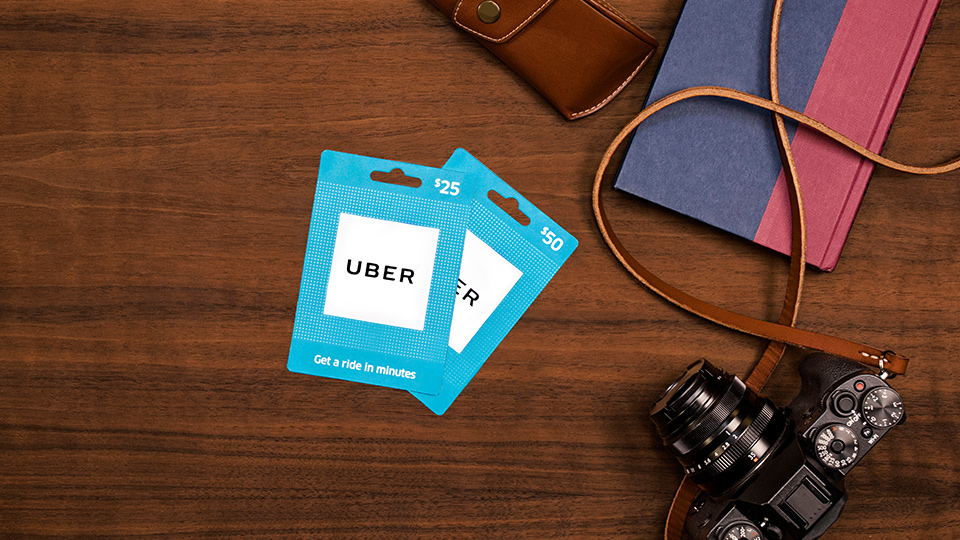
When an Uber Gift Card isn’t functioning properly, it can happen for a variety of reasons. What exactly are Uber gift cards meant to do? They’re designed to simplify payments for rides and certain deliveries through Uber Eats. When a customer adds a gift card to their Uber account, the available balance should show up in Uber Wallet or Uber Cash.
You may have some issues regarding the visibility of your balance. There may be issues with card redemption, the country or currency associated with your account may be mismatched, issues linked to your payment methods may pop up, or you may be trying to use Uber for a service that is not permitted.
If your Uber gift card not working issue appears, don’t assume the card has no value and toss it. Card issues may be linked to your account’s country, the type of service you’re trying to use the card for, your payment configuration and app settings, or whether you’re trying to use the card for an Uber service that’s not permitted.
In this situation you can contact Uber support, but first let’s go through some common issues that might be the reason for this.
What Is an Uber Gift Card?
An Uber Gift Card is a prepaid gift card. Once the card is redeemed, money is added to the Uber wallet of the user, which can be spent on services the user requests.
In the Uber and Uber Eats apps, gift cards can be redeemed, but only in selected countries and currencies where the card is supported.
This means that the gift card has limited use. The country and currency of the card holder matters a lot.
What Could Be the Problem With My Uber Gift Card?
Problems that come with Uber gift cards can be attributed to many reasons.
Some of these problems are attributed to the country of the account being different from the currency of the gift card, no payment method linked to the account, the balance on the gift card not updating, the gift card already being used, order restrictions relating to the gift card, or the gift card not being usable to complete an order or trip.
Most of these things can be checked in order. Start with the type of service, payment method, balance, country, account, and lastly, currency.
1. The Country of Your Uber Account Is Different
The country of your Uber account is one of the major reasons why an Uber gift card not working problem occurs.
Based on Uber’s policy, a gift card can only be used in the country it was issued in, so if it was issued in one specific country, it may not work in another country.
For example, if someone buys an Uber Gift Card meant for a different country, the person it was sent to may not be able to use it with his or her regular Uber account. The gift card code might be valid, but because of the country restrictions on the account, it will not work.
Before buying an Uber Gift Card online, confirm the country your recipient uses Uber in as well as the country their Uber account is linked to.
2. The Gift Card Has a Different Currency Than Your Account
Currency also plays a role in such issues.
Uber gift cards explain that users are only able to redeem gift cards in the countries where the currency matches the country-issued gift card. Also, Uber states that gift cards can only be redeemed in the country where the gift card was bought.
In other words, a certain value gift card may not work for an Uber account or trip that is priced in a different currency.
If the card purchased is in USD, AUD, GBP, EUR, or any other currency, ensure that the person’s Uber account and the country they are using Uber in allow the use of that particular currency.
If a person cannot use a card, it may turn out that a card from another region is not worth the price.
3. You Still Need a Payment Method
Users may think that using a gift card means they do not need to add a payment method to their account, but that is not always the case.
Uber’s support states that when the gift card balance is less than the fare, you will have to add a payment method to order a ride.
So if the gift card is not enough, Uber will require a payment method for the rest of the ride or order.
This can give the impression that the Uber Gift Card is not working, but that is not always true. The balance may just not meet the total.
4. Uber Gift Card Balance Might Not Show
In some instances, the card may have been redeemed, but it does not appear to the user where it should.
First, be sure you are signed into the account that redeemed the code. If you have multiple accounts under different phone numbers, emails, or login methods, the gift card may have been added to another Uber account.
Then check the Wallet, Uber Cash, or payment section in the app as this may have a different name depending on your country and account settings.
You could try to completely close the app and restart it. A refresh of your account or an update to the Uber app may help. If all else fails, log out and log back in.
If your card has been redeemed, and you have no record of the balance, keep both the receipt and code details, then contact Uber support or the seller.
5. Gift Card Already Redeemed
Another possibility is that the code may have already been used.
Once used, a gift card cannot be used again. If your app says the code is redeemed, it means the balance was added to an Uber account, most likely without your knowledge.
This mostly happens when several Uber accounts are used, or when the wrong account code is redeemed.
If someone had the chance to redeem the code before you by looking at a screenshot, forwarded email, or message, it can be assumed that the code was used.
If you purchased the card from a sketchy seller, it is likely that you bought a card with a used code.
6. The Gift Card Cannot Be Used for Some Uber Services
There are limits to the services Uber Gift Cards can be used for.
Gift card balances can’t be used on Family Profiles, pre-scheduled rides, or rides paid for with university campus cards, as stated on the gift card page of Uber’s website. Also, Uber’s rider support page says gift cards can’t be used on Family Profiles or pre-scheduled rides, confirming the previous statement.
If you want to use the balance for a pre-scheduled ride or Family Profile trip, and you’re wondering why the card isn’t working, it’s most likely because you’re trying to use it for one of those.
If a ride or order you’ve selected is not able to be paid for with a gift card, that doesn’t mean the card doesn’t have a balance.
7. The Balance Is Not Applying Automatically
Although balances on gift cards may be set to apply by default, you should still check the payment method selections before you confirm the order.
According to Uber, gift cards that have been converted to Uber Cash will apply to a ride request automatically, but you have the choice to select a different payment method before you make the order.
If the balance isn’t being used and you want to use it, go to the payment method section before you confirm the ride and choose the Uber balance or gift card balance.
Also, check that the balance is enough to make a payment as well as verifying that the order is eligible to use the balance.
8. The Seller Didn’t Activate or Deliver the Correct Code
Occasionally, the issue is on the seller’s side.
Potentially, an activated physical gift card may not have been successfully checked out by a seller. When it comes to digital sellers, they could send the wrong code, such as a code that has been used, is inactive, or is for the wrong country or currency.
If any of the digital Uber gift cards in your possession is not working, the first thing to do is look at the order email. Make sure that the country, currency, amount, and delivery details match your purchase.
The seller needs to be contacted if the code is invalid, already used, not delivered, or if it’s a code for the wrong region.
Since gift card codes are like cash, posting them online is not allowed.
9. The App or Account Has Bugs
Potentially, the issue may be with the Uber app or the account.
Restart the device and check if the Uber app is updated. Log out and back in. If you see payment alert or verification messages, the account may have a pending payment or verification issue.
Take a picture of the error message if the problem continues and reach out to Uber support. In case support requires it to verify that the card was purchased properly, have the order confirmation and the purchase receipt.

What to Do If the Uber Gift Card Still Doesn’t Work
If the issue with your Uber gift card not working problem persists, first run through the basics.
Make sure your gift card’s country matches your Uber account country. Also, check that the card’s currency is accepted where Uber is being used and that the card has not been used. Make sure the account shows the card’s balance and that the trip or order is eligible. If the balance does not cover the entire amount, you can try adding another payment method.
After checking everything, you can contact Uber support. Send them the receipt, code details, country, card balance, currency, and the error message.
Problems With Uber Gift Cards
Some issues can arise before you purchase a gift card or redeem one.
Make sure to buy gift cards from a reputable seller, make sure the country and currency are correct, and check that the recipient uses Uber or Uber Eats for that country. Also, ensure the code goes to the right person, keep the receipt, do not show a screen capture of the code, and redeem the card on the right Uber account.
If you think the gift card won’t be used much, a different card may be a better option. For iPhone users, an Apple Gift Card would be better. Android users should choose a Google Play Gift Card and shoppers can select an Amazon Gift Card.
You can view the site and choose from the selection of Online Gift Cards.
Is an Uber Gift Card Still Worth Buying?
You can buy an Uber Gift Card as long as the card is for the recipient’s country and currency, and they use Uber or Uber Eats a lot.
The card is suitable for people who frequently take rides, order eligible food deliveries, or want to control their prepaid transport spending, as the card is loaded with a set value which can help with spending budgeting.
However, it does not work well for recipients who are not Uber users, live in countries where the card is not available, or primarily require cash for expenses that Uber gift cards do not include.
Closing Thoughts
An Uber gift card not working message is irritating, but most problems arise from a few simple things.
Check the account country, gift card currency, payment method, balance and service eligibility, as well as the right Uber account linked to the gift card and the ride or order being eligible for gift card payment.
If the country, currency, and account are aligned, an Uber Gift Card online is a decent option for a gift. It is best to keep the code private, check the payment method before booking, and if support asks, you will need to provide the receipt.