Redeeming PUBG Gift Cards: Step-By-Step Instructions
Multiple versions of PUBG exist. That’s why a lot of users wonder how to redeem PUBG gift card before they use one. Some users are referring to PUBG Mobile, others are referring to PUBG: BATTLEGROUNDS on PC/Consoles, and others are referring to game credits like UC or G-Coin.
It can be confusing to redeem a card. Typically, a PUBG gift card can be used to purchase game credits or to redeem a code for certain items in PUBG. However, the steps will vary depending on the card, platform, and country.
Before redeeming the card, make sure you know what the card is meant for. Different codes are used to redeem cards that are meant to be used for Mobile UC, PUBG PC credits, or to purchase items in the store. If you go the wrong direction, the card will not work, even if it’s legitimate.
This guide provides information on the most common ways to redeem a PUBG gift card, the platforms that support the cards, region limitations, and what to do if the card doesn’t work.
What Is a PUBG Gift Card?
A PUBG gift card is a digital code or prepaid card used for PUBG-related game credit or content. When players spend money in PUBG Mobile, that money gets converted to UC, and the players can then spend that UC on outfits, crates, Royale Pass, skins, and other in-game items.
Regarding gift cards in PUBG: BATTLEGROUNDS on PC or console, there may be differences. Some could be for G-Coin, some could be for the respective game platform, some could be for events or content, etc. Since PUBG is free on Steam, people are most likely not purchasing the base game. Instead, they could be using the credit for G-Coin, events, or other platform-specific purchases.
This is the exact reason why it is important to check the name of the product. A PUBG Mobile UC card is not always the same as a PUBG PC card. A Steam Gift Card is also not the same as a PUBG Mobile Gift Card.
Steps to Redeem a PUBG Gift Card
The first step is identifying what type of card it is. If it’s a PUBG Mobile Gift Card or UC code, you should already have your PUBG Mobile Character ID, as it is needed to send the UC or reward to that game account.
For PUBG Mobile, the official UC redeem page will ask you for three things: Character ID, a Redemption Code or UC code, and a Verification Code. Therefore, enter these things properly to ensure you get the redeem request processed.
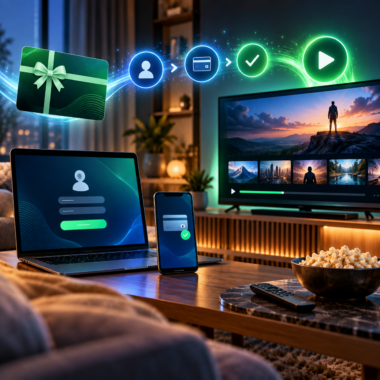
Overall steps include the following:
- Launch PUBG Mobile and copy your Character ID.
- Locate the PUBG Mobile dedicated UC redemption webpage or page.
- Provide your Character ID.
- Input the associated code to the gift card.
- Solve the captcha or the verification.
- Finalize the redeem request.
- Start the game to claim your UC, items, or rewards.
When the card is redeemed, credit or rewards should be automatically applied to your account. This may happen instantly or take some time.
The process may vary depending on your PUBG gift card, especially if it is for PUBG PC, Steam, console, or G-Coin. You may have to redeem it via the in-game store, your platform wallet, or a specific code redemption site. Instructions included with the card should be followed.
Supported Platforms
Gift cards do not work for every platform since PUBG has multiple options.
Gift cards associated with PUBG Mobile UC or mobile game rewards are usually meant for PUBG Mobile devices. These may require a Character ID or a PUBG Mobile account.
For PUBG: BATTLEGROUNDS, PC players have separate purchases through Steam, Epic, or the in-game store based on linked accounts. Some codes require account linking for specific platforms.
Additionally, console players may need a linked PlayStation Store or Xbox payment method. A code meant for mobile use may not work on console, and a platform gift card will not always work for PUBG Mobile UC.
Therefore, the supported platform should be one of the first things to consider before you buy or redeem a card. If the recipient plays PUBG Mobile, purchase a card meant for PUBG Mobile. If they play PUBG PC, ensure that the card is meant for PC, Steam, Epic, or G-Coin.
Region Restrictions
The region is one of the main causes of failure when it comes to redeeming PUBG gift cards. Cards purchased from one country do not always work for accounts from other countries.
For the game PUBG Mobile, the region will determine whether the redeem code or UC top-up will work. Some payment products are created for specific countries. If the card region does not match the player’s account or server situation, the code will fail.
Regions also matter for PUBG PC and console. Each platform has its own regional restrictions. Steam wallet codes, PlayStation codes, and Xbox codes are all region locked. If you buy a card from the wrong region, it will not redeem.
This is really important when you are planning to buy a PUBG gift card for someone in a different country. Just looking at the price is not enough. Check what platform, country, and account region the recipient has.
If a card is labeled as restricted to a certain country, do not expect it to work worldwide. PUBG gift cards and game credit products are frequently non-universal.
Common Reasons PUBG Gift Card Redemption Fails
One of the most common reasons is that the redeem code has been entered incorrectly. Gift card codes use a combination of numbers and letters that could be confusing. O and 0 could easily be mistaken, as could I and 1. Always try to copy and paste the code.
Another reason could be entering an incorrect Character ID. This is a critical point for PUBG Mobile. Character IDs that are incorrectly input will cause the system to reject the entered code, or rewards, depending on the method of redemption, will be credited to the incorrect Character ID.
A region mismatch is also a frequent incidence. If the card was purchased for a country other than the country of the account or the store of the platform, the code will not work.
It is also possible that the code has already been redeemed. Once a gift card code is used, it cannot be used again. This situation arises due to the seller sharing the code or the seller being fraudulent and redeeming the code on a different account.
At times, the wrong platform is specified. PUBG Mobile codes will not work on PUBG PC. Console codes will also not work on mobile. A Steam card is not a PUBG Mobile UC card and vice versa.
Temporary delays can also happen. When the code is redeemed successfully, there may be a delay in the UC, G-Coin, items, or balance.
What to Do If the Code Does Not Work
If your PUBG gift card code is not working, do not continue trying without knowing the reason. This can cause temporary locks to your account or other confusion.
First, check the code to ensure that there are no typing errors, spaces, or characters missing.
Second, double-check your Character ID for your PUBG Mobile account and make sure you are logged into the right account for the right game.
Third, confirm the region. The gift card region must match the account country or platform store region.
Fourth, identify the card type. Check if the card is for PUBG Mobile UC, PUBG PC, G-Coin, Steam, PlayStation, Xbox, or any other platform.
Fifth, determine if the code is already redeemed. This is one of the risks if you purchased the code from someone else.
Contact the seller if everything seems to be in order but the card still does not work. Have ready your order number, error message screenshot, card region, account region, and the time you attempted the redemption. If the code was accepted but you did not receive the credit, you may also have to reach out to support for PUBG or the platform.
Tips Before Buying a PUBG Gift Card
Before purchasing a PUBG gift card, inquire about which version of PUBG the recipient plays. The payment system is not always the same for PUBG Mobile, PUBG PC, and console PUBG.
Also check what type of credit they require. UC is often required by PUBG Mobile players. Meanwhile, players on PC or console may require platform credit or G-Coin. The gift will be useless if you buy the incorrect card.
Ensure the shop is reliable and confirm the method of delivery. Digital codes are easy to access but only if the seller provides accurate guidance and the correct region.
After the purchase, don’t share the code. Screenshots should be kept out of public chats. If the code is visible to a lot of people, the first person to redeem it will be the one who sees it.
Conclusion
Knowing how to redeem PUBG gift card depends on card type, platform, and region. For example, PUBG Mobile gift cards require the correct Character ID and redemption code, while gift cards for PUBG on PC or consoles use platform stores, G-Coin, or other different methods of redemption.
It is critical to ensure that your account, region, platform, and code are all correct when attempting to redeem a card. The majority of redemption issues are caused by the card being for the incorrect region, the incorrect PUBG version or platform, or if the code has already been redeemed.
If you verify all these details, a PUBG gift card can be a great way to add game credit, purchase UC, acquire game items, or assist a player in making additional in-game purchases.