
































Kinguin Gift Cards United States Region – USD (Email Delivery)




Buy Kinguin Gift Cards United States Region in USD and receive your digital code by email. Redeem it for Kinguin Balance and use the funds toward eligible games, DLC, software, subscriptions, in-game content, and other marketplace products.
$36.29
Buy Kinguin Gift Cards United States Region Online
Buy Kinguin Gift Cards for the United States Region from eGift Cards and give the recipient a flexible way to shop for eligible digital products on Kinguin.
Choose an available USD denomination before checkout. After your payment has been approved and any required order verification completed, the digital gift card code will be sent by email. No physical card or international shipping is required.
The recipient can redeem the code to add Kinguin Balance to a compatible Kinguin account. That balance can then be applied to eligible games, downloadable content, software, subscriptions, in-game items, digital currencies, gift cards, and other products available through the Kinguin marketplace.
Customers looking for similar products can also browse our Gaming Gift Cards collection.
What Can You Use Kinguin Gift Cards For?
A Kinguin Gift Card adds store balance to the recipient’s Kinguin account. Depending on product availability and applicable restrictions, the balance may be used for eligible:
- PC game keys
- Console game keys
- Downloadable content and expansion packs
- Game pre-orders
- In-game items
- In-game currencies
- Character skins and cosmetic content
- Software licences
- Antivirus and security software
- Productivity applications
- Gaming subscriptions
- Entertainment subscriptions
- Platform wallet products
- Selected gift cards
- Hosting and game-server services
- Other digital marketplace products
Kinguin operates as a digital marketplace, so individual listings may be offered by different sellers. Prices, sellers, platforms, product editions, activation methods, availability, and regional restrictions can change.
Always open the individual product page and check its platform, activation region, language, edition, seller, and system requirements before placing an order.
Why Buy Kinguin Gift Cards from Us?
Buying from eGift Cards gives you a convenient way to select a USD value, complete checkout securely, and receive the digital Kinguin code by email after processing.
A Kinguin Gift Card can be useful for:
- Birthdays and celebrations
- Christmas and seasonal gifting
- PC and console gamers
- Customers who want to choose their own games
- Software and subscription purchases
- Downloadable content and game expansions
- Last-minute digital gifts
- Adding prepaid value to a Kinguin account
Instead of selecting one game for the recipient, you can give them Kinguin Balance and let them choose from eligible products available through the marketplace.
More digital products are available from our All Gift Cards page.
How to Redeem a Kinguin Gift Card
Follow the instructions supplied with your digital code. The standard redemption process is:
- Visit the official Kinguin website.
- Sign in to the intended Kinguin account or create a new account.
- Open the Kinguin gift card redemption page at kinguin.net/redeem.
- Enter the supplied gift card PIN or code exactly as delivered.
- Review the displayed value and account information.
- Confirm the redemption.
- Check that the Kinguin Balance has been added to the account.
- Browse the Kinguin marketplace.
- Select an eligible product and proceed to checkout.
- Apply the required Kinguin Balance using the available balance option or slider.
- Complete any remaining payment if the balance does not cover the full order total.
The gift card code is generally redeemed in full during one transaction. Once the code has been successfully applied to an account, it cannot be reused or transferred to another account.
How to Pay with Kinguin Balance
After redeeming the gift card, select an eligible product and continue to the Kinguin checkout page.
Kinguin may display a balance slider or Kinguin Balance payment option. Adjust the amount you want to use, review the updated order total, and complete the purchase.
If the Kinguin Balance covers only part of the order, the remaining amount may need to be paid using another supported payment method. Available combinations, charges, and checkout options can depend on the product and payment provider.
Balance cannot automatically override a product’s activation requirements. A United States customer must still check whether the selected game key or software licence supports the correct country, platform, and account region.
United States Region and USD Currency Notice
This product is denominated in United States dollars and is intended for customers purchasing a Kinguin USD Gift Card.
Kinguin may describe certain USD gift cards as region-free. However, that does not mean every product purchased with the resulting balance is region-free.
Each marketplace listing can have separate restrictions, including:
- United States activation only
- North America activation
- Global activation
- Europe-only activation
- Country-specific activation
- Platform-specific compatibility
- Account-country requirements
- Language limitations
- Hardware or operating-system requirements
The recipient should review the individual listing before using the balance. Kinguin Balance does not make an incompatible game key work with a United States account or device.
Customers browsing by location can also visit our US Gift Cards page.
Gift Card and Balance Validity
Kinguin’s USD Gift Card product information states that the gift card can be redeemed for up to 365 days after purchase.
Redeem the code before the expiry date shown in the supplied product information. An expired code may no longer be accepted.
Gift card validity and redeemed Kinguin Balance are not necessarily the same. Once the code has been redeemed, the full voucher value is transferred to the Kinguin account. The use of that balance is then subject to Kinguin’s current account, payment, and marketplace terms.
Full Code Redemption and Partial Balance Use
The Kinguin Gift Card code must normally be redeemed in full. You cannot redeem only part of the code and leave the remaining value on the original voucher.
After redemption, however, the credited Kinguin Balance can generally be used across multiple eligible purchases. The account holder may choose how much available balance to apply during checkout.
For example, a recipient may redeem a USD 50 gift card in full and then use portions of the resulting balance on several separate purchases.
Any order total above the available balance may require an additional supported payment method.
Prices, Fees, and Currency Conversion
The Kinguin Gift Card’s face value may differ from the selling price displayed by eGift Cards. Review the denomination, product price, and order total before completing checkout.
When spending Kinguin Balance, the final amount may be affected by:
- Product prices
- Service fees
- Applicable taxes
- Currency conversion
- Seller pricing
- Optional buyer-protection services
- Discounts or promotional codes
- Additional payment-method charges
The Kinguin marketplace uses dynamically changing offers. A particular product’s price may increase or decrease after the gift card has been purchased.
Important Marketplace Restrictions
Kinguin Balance is a marketplace payment option. It does not guarantee that every product can be activated or used by every customer.
Before buying an individual product, check:
- Product title
- Platform
- Activation region
- Edition
- Supported language
- Seller information
- Activation instructions
- System requirements
- Subscription requirements
- Product-specific notices
A Steam key cannot necessarily be activated on Xbox, PlayStation, Nintendo, or another platform. Similarly, a European or country-specific key may not work with a United States account.
Advertising Descriptions
Choose from Games, DLC, and Digital Products
Redeem your Kinguin Gift Card for account balance and shop for eligible game keys, downloadable content, software, subscriptions, in-game items, and more.
Give Gamers More Choice
Instead of choosing one title, give the recipient Kinguin Balance and let them select eligible products that match their platform, region, and gaming interests.
Receive Your Digital Code by Email
Complete your purchase online and receive the Kinguin USD Gift Card code by email after payment approval and order processing.
Use Your Balance Across Eligible Purchases
Redeem the complete gift card value to a Kinguin account, then use the available balance across one or more eligible marketplace orders.
| Single Gift Card Amount | |
|---|---|
| Single Gift Card Attributes | |
| Single Gift Card Color | |
| Single Gift Card Fees | |
| Single Gift Card Use In | |
| Single Gift Card Valid For |
FAQs About Kinguin Gift Cards United States Region
What is a Kinguin Gift Card?
A Kinguin Gift Card is a digital voucher that can be redeemed to add Kinguin Balance to a compatible account. The balance can then be used toward eligible products on the Kinguin marketplace.
What can I buy with Kinguin Balance?
Depending on current availability, you may be able to purchase eligible game keys, DLC, pre-orders, in-game items, game currencies, software licences, subscriptions, platform wallet products, gift cards, skins, and hosting services.
Individual products can have separate payment and eligibility restrictions.
How will I receive my Kinguin Gift Card?
The digital code will be sent to the email address supplied with your eGift Cards order after payment approval and any required verification. No physical card is shipped.
How long does email delivery take?
Delivery begins after the order has been successfully processed. Some transactions may take longer when additional payment, identity, fraud-prevention, or security verification is required.
Check the spam, junk, and promotions folders if the delivery email is not visible in your inbox.
How do I redeem a Kinguin Gift Card?
Sign in to Kinguin, visit kinguin.net/redeem, enter the supplied PIN or code, and confirm the redemption. The full voucher value should then be added to the Kinguin account as balance.
Do I need a Kinguin account?
Yes. A Kinguin account is normally required to redeem the voucher, hold Kinguin Balance, view purchases, and access digital products.
Is the Kinguin USD Gift Card region-locked?
Kinguin may list certain USD gift cards as region-free. However, the USD denomination and account compatibility should still be checked before ordering.
Products purchased with the balance can have their own regional restrictions. Always review the activation notice on each product page.
Can I use the gift card outside the United States?
A USD Kinguin Gift Card may be accepted on compatible accounts outside the United States when the specific listing is marked region-free. Currency conversion, account-country, payment, or marketplace restrictions may still apply.
Confirm compatibility before purchasing because this page is intended for the United States and USD market.
Does a Kinguin Gift Card expire?
Kinguin’s product information states that its USD gift cards can be redeemed for up to 365 days after purchase. Redeem the code within the validity period shown with your order.
Can I redeem only part of the gift card?
No. The gift card code must normally be redeemed in full. After it has been redeemed, the original code has no remaining value and cannot be used again.
Do I need to spend all the Kinguin Balance at once?
No. Although the gift card is redeemed in full, the credited Kinguin Balance can generally be applied across multiple eligible purchases.
Can I combine Kinguin Balance with another payment method?
Kinguin may allow the balance to cover part of an order and another supported payment method to cover the remainder. Availability and fees depend on the current checkout options.
Can I use multiple Kinguin Gift Cards?
Multiple valid gift cards may generally be redeemed separately to the same eligible account. Each code must be entered individually and can normally be used only once.
Kinguin may apply account, transaction, payment, or security limits.
Can I use Kinguin Balance to buy any product?
Not necessarily. Some products, sellers, subscriptions, promotions, or payment categories may have restrictions. The selected product must also be compatible with the customer’s country, platform, account, and device.
Can Kinguin Balance be converted into cash?
No. A Kinguin Gift Card and its redeemed balance do not normally have a cash value and cannot be withdrawn to a bank account or exchanged for another form of payment.
Can I transfer redeemed balance to another Kinguin account?
Kinguin Balance is generally linked to the account that received it and cannot normally be transferred to another account.
Redeem the gift card only while signed in to the intended recipient’s account.
Can I give the digital code to someone else?
Yes. An unused code can be sent privately to a recipient with a compatible Kinguin account. Do not redeem the code before giving it to them.
Treat the code like cash because anyone who obtains it may be able to redeem it.
What should I do if the Kinguin code does not work?
Check that:
-
The code was entered exactly as delivered
-
No extra spaces were copied
-
The correct Kinguin redemption page is being used
-
The code has not already been redeemed
-
The code has not expired
-
The recipient is signed in to the correct account
-
The selected currency and account are compatible
If the issue continues, contact eGift Cards support with the order number and displayed error message. Keep the full code private.
Are there additional fees?
The gift card selling price may differ from its face value. Kinguin purchases may also include taxes, service fees, optional services, currency conversion, or other checkout charges.
Review the complete order total before confirming a marketplace purchase.
Can I use a promotional code with Kinguin Balance?
Discount-code compatibility can depend on the promotion, product, payment method, and checkout rules. Some promotional codes may not work when an order is paid entirely with balance.
Check the promotion’s current conditions before ordering.
What happens if my Kinguin Balance does not appear?
Sign out and sign back in, confirm that the gift card was redeemed on the correct account, and review the account’s balance or transaction history.
If the balance is still missing, contact Kinguin support and provide the redemption information without publishing the complete code.
Can I cancel or refund a redeemed Kinguin Gift Card?
A successfully redeemed gift card is generally non-refundable. Once its value has been transferred to an account, the original code is exhausted.
Digital codes that have been revealed, delivered, or redeemed may also be ineligible for cancellation through the retailer, except where required by applicable law.
Is Kinguin the same as Steam, Xbox, or PlayStation?
No. Kinguin is a digital marketplace. A Kinguin Gift Card adds Kinguin Balance rather than directly adding money to a Steam, Xbox, PlayStation, or Nintendo account.
You may be able to purchase eligible platform products on Kinguin, but each product has separate activation instructions and regional restrictions.
Can I use a Kinguin Gift Card to buy a gift for someone else?
Yes. You can either give the unused Kinguin code to the recipient or redeem the balance and purchase an eligible digital product as a gift where the applicable listing and platform permit it.
Check all region and platform details before purchasing a game key for another person.
Which payment methods are supported?
The payment methods currently available will be displayed during checkout on eGift Cards. Options may vary according to the buyer’s location, order value, selected currency, and payment provider.
Is the digital Kinguin code legitimate?
The delivered code is intended for redemption through Kinguin’s official website. Use the correct redemption page, protect the PIN, and never publish the code online.
Give the Gift of Gaming Choice
Let the recipient choose eligible games, DLC, software, subscriptions, in-game content, and other digital products with a Kinguin USD Gift Card.
Select the required value, complete checkout, and receive the digital code by email after processing.
Related Products


Give the gift of Google Play or use the Gift Cards towards your own purchases! Redeem on the Web or Android devices, no credit card needed.Use Google Play Gift Cards (European Union Region) to purchase your favourite digital entertainment..These are American Google Play Gift Cards and can only be redeemed on valid American Google Play accounts to purchase apps, music, videos and books. Google Play Gift Cards cannot be used to purchase physical items like devices or accessories.
In stock


Give the gift of Google Play or use the Gift Cards towards your own purchases! Redeem on the Web or Android devices, no credit card needed.Use Google Play Gift Cards (New Zealand Region) to purchase your favourite digital entertainment..These are American Google Play Gift Cards and can only be redeemed on valid New Zealand Google Play accounts to purchase apps, music, videos and books. Google Play Gift Cards cannot be used to purchase physical items like devices or accessories.

PLAYERUNKNOWN’S BATTLEGROUNDS (PUBG) is a multiplayer survival shooter that has been formally developed/published by Bluehole. PUBG is now being produced by PUBG Corp, a subsidiary of Bluehole, in collaboration with Brendan Greene (PLAYERUNKNOWN) as Creative Director, PUBG is Greene’s first stand-alone game. If the excitement of the game keeps you looped, PUBG Gift Card should be your first pick. Grab the cool PUBG Mobile UC Gift Card and get ready to face the unforeseen.
In stock


IMVU Game Cards/Gift Cards,With this virtual currency card, you’ll gain credits for use in the IMVU catalog. Go on a wild shopping spree, buying items that will help you customize your IMVU avatar or enhance your online life experience. From clothes and shoes to furniture and pets, you’ll have an array of options for making your online self truly unique.
In stock


Are you looking for the perfect gift for a gamer in your life? Look no further than a Blizzard Gift Card! With a Blizzard Gift Card, the recipient can enjoy all their favorite games and content from Blizzard Entertainment, including World of Warcraft, Overwatch, Diablo III, Hearthstone, and more.


Steam Gift Card is an easy way to put money into your own Steam Wallet or give the perfect gift of games to your friend or family member.Download and play thousands of games.Steam Gaming Gift Cards work just like gift certificates, which can be redeemed on Steam for the purchase of games, software, and any other item you can purchase on Steam.

Give the gift of Google Play or use the Gift Cards towards your own purchases! Redeem on the Web or Android devices, no credit card needed.Use Google Play Gift Cards (Switzerland Region) to purchase your favourite digital entertainment..These are American Google Play Gift Cards and can only be redeemed on valid American Google Play accounts to purchase apps, music, videos and books. Google Play Gift Cards cannot be used to purchase physical items like devices or accessories.
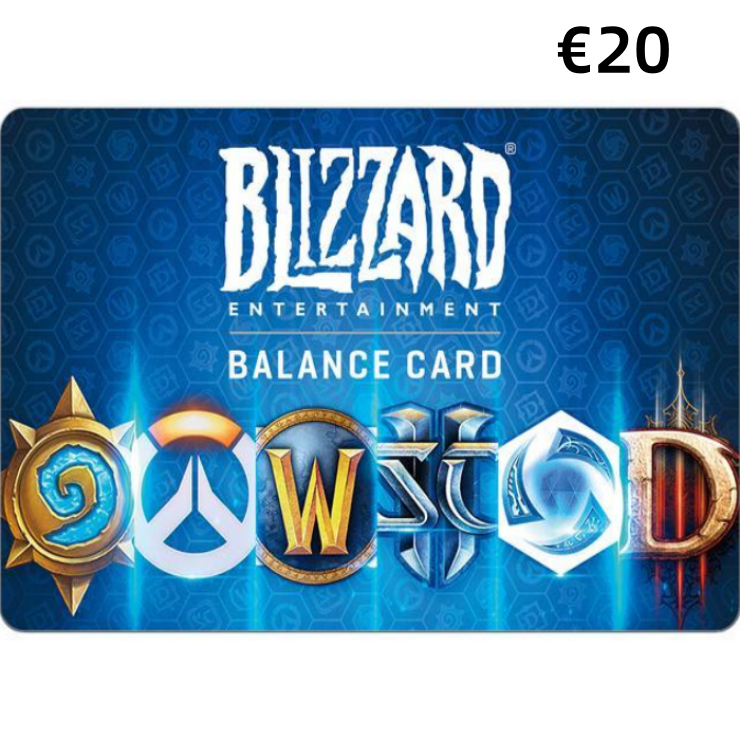
Are you looking for the perfect gift for a gamer in your life? Look no further than a Blizzard Gift Card! With a Blizzard Gift Card, the recipient can enjoy all their favorite games and content from Blizzard Entertainment, including World of Warcraft, Overwatch, Diablo III, Hearthstone, and more.
In stock


When you give Apple App Store & iTunes Gift Cards and iTunes Gifts to friends and family members, they can choose whatever they want on the iTunes Store, App Store, iBooks Store and Mac App Store, or even use it towards an Apple Music membership.One card, millions of ways to enjoy it. Use the App Store & iTunes Gift Card to get apps, games, music, movies and TV shows. Available in a variety of denominations – spend it on in-app content, books, TV show subscriptions or even iCloud storage to secure files from all your Apple devices.
In stock


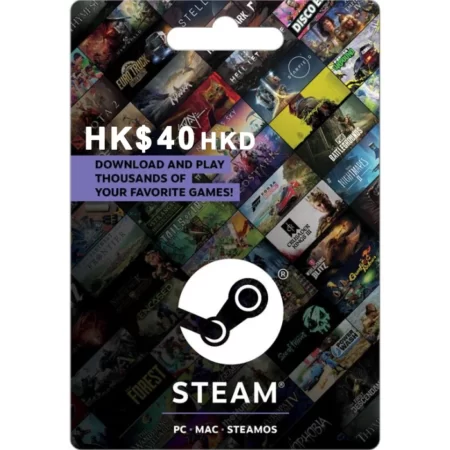
Steam Gift Card is an easy way to put money into your own Steam Wallet or give the perfect gift of games to your friend or family member.Download and play thousands of games.Steam Gaming Gift Cards work just like gift certificates, which can be redeemed on Steam for the purchase of games, software, and any other item you can purchase on Steam.


Are you looking for the perfect gift for a gamer in your life? Look no further than a Blizzard Gift Card! With a Blizzard Gift Card, the recipient can enjoy all their favorite games and content from Blizzard Entertainment, including World of Warcraft, Overwatch, Diablo III, Hearthstone, and more.


PlayStation Store Wallet Top Up.PlayStation Gift Card lets you play more and pay less – join now to get an Instant Game Collection, full game trials, great discounts, exclusive access, automatic updates and much more.
Reviews
There are no reviews yet.