How to Redeem Blizzard Gift Card: Step by Step Guide for Battle.net Balance
Players looking to keep their Battle.net account running can use a Blizzard Gift Card to add some prepaid credit. The value of the gift card becomes Battle.net Balance, which can then be used to make purchases for eligible games, digital content, and even in-game services from the store.
Most of the time, it’s a simple process. Logging in and entering the code grants you access to your new balance. Unfortunately, that’s not always the case. Users sometimes can’t redeem their cards. Users may receive an error, incorrect code, non-matching region, or some other issue with the account.
This guide will walk you through how to redeem Blizzard gift card credit, how Battle.net Balance works, what you should know about account region, and what to check if the gift card doesn’t work.
Understanding Blizzard Gift Cards
A Blizzard Gift Card is a digital code or prepaid card that can be used to add value to a user’s Battle.net account. Upon redemption of a gift card, the value of the card is converted into the user’s Battle.net Balance. The balance can then be used for eligible purchases from the store.
Once Blizzard Gift Cards are redeemed, users will be able to add some credit and buy several digital products and services that are available in the Battle.net store, and even other items relating to their favorite games such as World of Warcraft, DOOM, Overwatch, and Call of Duty.
A Blizzard gift card allows players to choose a product of their liking on Battle.net. It gives players store credit. The gift card owner can decide on Battle.net’s eligible products once they receive the card.
Can I Use Blizzard Gift Card Balance Online?
You can use a Blizzard Gift Card to purchase items on Battle.net as long as it is within your country, currency, and account region.
Here are some examples of items that the gift card can purchase:
- Video games
- Expansions in games
- Digital collectibles
- Game time for World of Warcraft
- Seasonal and current passes
- Character or account services
- In-game cash
- Items in the Battle.net shop
Some people use the cards to purchase World of Warcraft game time. Others use it to buy games like Diablo, Overwatch, Hearthstone, Call of Duty, and many more. Battle.net Balance is not regarded as cash. It is only to be used in places Battle.net allows.
Steps to Redeeming a Blizzard Gift Card
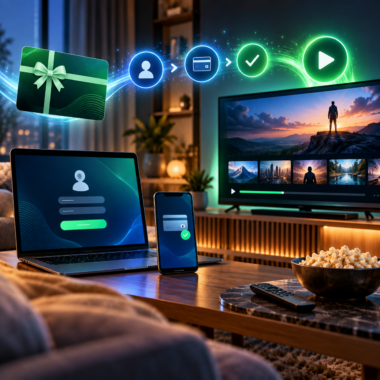
If you want to know how to redeem Blizzard gift card credit, the process starts with logging into the Battle.net account that should receive the balance.
Here’s how to do it:
- Open Battle.net or go to Battle.net in your browser.
- Log in to your account on Battle.net.
- Go to the section of the screen that says “Redeem a Code.”
- Type the Blizzard gift card code exactly how it’s shown.
- Finalize the redemption.
- Watch as the balance is added to the account.
Many guides found on other websites outline the same steps: log in to Blizzard or Battle.net accounts, go to the page to redeem codes, enter the gift card code, then confirm the code.
After confirming the code, you should be able to see the funds added to your account as Battle.net Balance.

Step 1: Log Into the Right Battle.net Account
You need to use the correct Battle.net account before you redeem the code.
Once the gift card is redeemed, the balance is usually locked to that account. If the code was redeemed to the wrong account, the balance cannot always be moved.
If you have multiple Battle.net accounts, this is especially important. Some players have old accounts, new accounts, or even different accounts for varying regions. Always confirm the email address and account name prior to redeeming.
If you are sending a digital Blizzard Gift Card to another person, let them redeem the code to prevent the balance being added to the wrong account.
Step 2: First Verify Region and Currency
Before redeeming the code, verify the region and currency of the card.
This step is very important. The codes for gift cards and Battle.net Balance are often locked by region and country. If the country on the account does not match the region of the card, the code will not work.
For example, the code will not work for a Battle.net Balance code for U.S. accounts if the account is set to a European or Asian region. Some Battle.net Balance card support pages state that the cards are region-locked and that codes that are not in the same region as the user are not eligible to be redeemed.
Regarding Battle.net currencies, Blizzard has stated that if the account is registered in the wrong country, it may be necessary to adjust the account region and currency.
Before redeeming a code, confirm the following:
- Country of Battle.net account
- Country of gift card
- Currency of gift card
- Region of shop
- If the code is for that account
If the region is incorrect, the code may technically be valid, but will still not work.
Step 3: Enter the Code Carefully
When redeeming a Blizzard Gift Card, be sure to enter it exactly as it appears.
If there is a typo, this will cause the code to fail. Be sure to check for missing characters, spaces, and look-alike letters or numbers.
If the code was sent to you via email, copy and paste will sometimes cause issues. There may be hidden spaces that will cause it to fail. If the code does fail, try typing it manually.
Also, make sure the code has not been used. Most gift card codes can only be used once to redeem them. Once the code has been redeemed, it cannot be used again.
Step 4: Wait for Your Battle.net Balance to Update
Once you enter and redeem the code, the balance should be updated to your account.
In most instances, the balance will show up right after the code has been redeemed. Nonetheless, sometimes it may take a little longer for the account to show the update. If the confirmation page says that the code has been redeemed, refresh the page within the Battle.net account.
If your balance is not showing:
- Wait a few minutes and refresh it again.
- Log out of your account and back in.
- If your account has balance history, check that.
- Make sure you redeemed on the correct Battle.net account.
If the code has been redeemed but the balance is not showing, reach out to Blizzard support with proof of purchase.
How to Check Your Battle.net Balance
Now that you know how to redeem Blizzard gift card credit, let’s see how to check if the balance arrived.
You can view your Battle.net Balance in the account area, usually combined with the shop area. The balance is shown under the currency type associated with your account.
If the balance does not show, check to see if you are logged into the same account that the code was redeemed on.
This is a common mistake. Users will have codes redeemed on one account and check another account, thinking the balance is missing.
Why Isn’t The Blizzard Gift Card Code Working?
There are many reasons why Blizzard gift cards do not work. The most common problems include:
- Entering the wrong code
- The code has already been redeemed
- The code was issued in the wrong account region
- The code was issued in the wrong currency
- The code was not activated by the seller
- There is a temporary issue with Battle.net
- The product is ineligible to be added to Battle.net Balance
- Your account has restrictions or payment limits
Some problems can be corrected quickly, while others may need the assistance of the seller or Blizzard support.
1. The Code Was Entered Incorrectly
This is the simplest issue to resolve.
If one letter or number is incorrect, the code will be rejected. Check the entire code thoroughly to see that there are no spaces before or after it.
If the code was copied from an email, paste it into a plain text document first to see if any hidden spaces might be causing the issue. If the code still fails, try typing it in.
2. The Code Was Already Redeemed
Generally, a Blizzard Gift Card can only be redeemed a single time.
If the system indicates the code has already been used, it is possible that you had previously redeemed it or that someone else accessed the code.
If you purchased the code from an unreliable seller, it is possible the code was already used before it was delivered to you. This is why buying from reputable sellers is important.
If you suspect the code was never redeemed, reach out to the seller and provide your order confirmation.
3. The Account Region Doesn’t Match
Another reason for a failed Blizzard gift card code redemption is account region mismatch.
For instance, a code might be genuine, but the owner is unable to redeem it because their Battle.net account is registered in a different country from the code. In Blizzard forums, many users complain that they could not redeem codes because their card and account regions were mismatched.
This means online users should avoid the cheapest deals for Blizzard gift cards. Instead, the card should fit the user’s account region and currency.
4. The Currency Doesn’t Match
The currency of the card can also cause issues.
A code won’t redeem if the currency of the Battle.net account and the currency of the gift card differ. Blizzard has made statements concerning the supported currencies of Battle.net and the country settings of the account, making it clear that the currency and region of the account are crucial for purchases and balance.
Before making a purchase or trying to redeem the card, make sure you check the card’s currency to see if it is USD, EUR, GBP, NZD, AUD, or some other currency. This should be the same as the currency of the account.
5. The Code Was Not Activated Correctly
In some cases, a seller may have failed to activate the card or code properly.
If you see that the code complies with all the requirements except it is not working, it might be an activation issue. This often occurs with untrustworthy vendors or cards that are meant to be used as gift cards.
In such a case, you must contact the vendor and prove it by showing the receipt. Avoid exposing the unused code.
6. Issues with Battle.net
The issue might not be with the gift card itself.
It is possible that there are temporary issues with the Battle.net shop, code redemption, or payment system. If the code should be working but isn’t, come back and try again later.
You can also:
- Try a different browser.
- Clear your cache.
- Use the Battle.net desktop application.
- Use the Battle.net website.
- Log out then back in.
- Try it again later.
If your issue is still unresolved, you can reach out to customer service.
7. The Product Does Not Accept Battle.net Balance
Not all purchases will allow you to use your remaining Battle.net Balance. Some products, services, subscriptions, and even certain geographical locations may have exclusions.
In particular, for account services, subscriptions, or specific products based on your location, it is important to note that while the balance is available in your account, it will not be accepted by all payment systems for your purchase.
Tips to Prevent Issues When Redeeming a Blizzard Gift Card
To avoid potential problems before redeeming, you should:
- Buy from reputable sellers
- Make sure you have the correct regional settings
- Use the correct currency
- Verify that the recipient has a Battle.net account
- Redeem the code on the account intended for the Battle.net gift card
- Keep your code private
- Save your order confirmation
- Regularly check your balance post redemption
If you are gifting one of the Blizzard Gift Cards online, make sure to only send the code to the intended recipient and remind them to check their region again before redeeming.
Is Blizzard Gift Card Balance Added Instantly?
Once the code is redeemed, the balance is usually added almost immediately. Some sellers and guides mention that Battle.net gift card funds are added to the balance soon after the code is redeemed.
However, it is possible for there to be a delay. If you cannot see the balance, be patient and check in a few minutes.
If you see a message that the code was redeemed successfully, but you have no balance added, verify the account, check the balance history if you can, and reach out to support if the balance still does not show.
Final Thoughts
It’s easy to learn how to redeem Blizzard gift card credit, but some steps are more important than others.
Be sure to log into the correct Battle.net account, verify the card region and currency, enter the code correctly, and check for the balance to be added. If the code still does not work, check for input errors, mistakes from the code being used already, region mismatches, currency mismatches, activation troubles, or issues on Battle.net that are temporary.
A Blizzard Gift Card is good for adding Battle.net Balance to buy eligible games, in-game items, game time, and other digital purchases. However, it only works when the account, region, currency, and code all match.
To ensure the best outcome, purchase the card from a trusted seller, and do not share the code. Only redeem it on the intended Battle.net account.