


Buy RuneScape Gift Card Online: Safe Guide for Membership
RuneScape gift cards can cover a variety of things, including memberships, game credit, and digital content. If you want to buy RuneScape gift card online, it is essential to check the product type, account requirements, game version, region, and redemption instructions before purchasing.
RuneScape gift cards can be either physical cards or digital codes. Depending on the product, membership time, RuneCoins, Bonds, or other credit may be provided. The benefit can depend on the account where the card is redeemed, so it is important to read the product details carefully.
What Is a RuneScape Gift Card?
A RuneScape gift card is a prepaid code that can be used for eligible RuneScape products and purchases. Some cards can be used for membership, while others provide a certain amount of game credit or access to specific digital content.
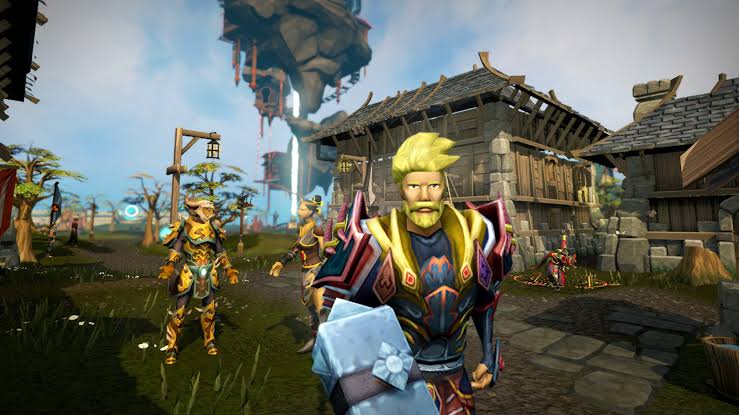
RuneScape and Old School RuneScape are separate game experiences, and their payment methods may differ. A gift card purchased for one game can be rejected by the other. Make sure you verify these differences before purchasing a gift card.
The card listing should display the denomination, currency, delivery method, country, and redemption process. If you are interested in other game-related products, check out the Gaming Gift Cards category as well.
Membership, Bonds, and RuneCoins
RuneScape gift cards are suitable for a variety of purchases in the game, as long as you understand the account requirements and the terms of your gift card.
Membership may help you unlock additional content on the specific version of RuneScape that you play. Some cards offer membership for a certain amount of time, whereas others may offer membership credit that you can put towards a membership.
Bonds can be found in-game and may be exchanged for membership or other approved benefits. Whether gift card credit works with Bond purchases depends on the payment method, game version, and account rules. A credit gift card for RuneScape cannot necessarily be used for every Bond purchase.
RuneCoins can be purchased with eligible credit and used for digital content within the game, including cosmetics, animations, pets, and other store items. These types of cards cannot generally be exchanged for membership or general account credit, so make sure you know what your gift card provides before redeeming it.

Things to Remember Before You Buy RuneScape Gift Card Online
Before buying a RuneScape gift card online, compare the card and game details with the recipient’s account. Consider the following:
- Which game version they play: Old School RuneScape or RuneScape.
- What type of credit or reward the card offers: membership, RuneCoins, Bonds, or another product.
- The card’s supported region and currency.
- Account restrictions and what the recipient can redeem the code for.
- How the code is delivered and whether there are time restrictions.
You should check whether the card is redeemed on an official account page, through a game client, or on another platform. A code may be valid and unused but still fail if it is entered in the wrong location.
If it is a gift, make sure to check which version of the game the recipient plays. This can save you from buying a gift card for a different account or service.
Selecting a Card Value
The values for RuneScape gift cards may differ depending on the seller, country, and product. A smaller value may be better for a shorter-term membership, a smaller RuneCoins purchase, or a first-time player.
A larger value may be preferable for a longer-term membership or multiple purchases. However, a higher value is not always better if the recipient cannot spend the full amount on the card.
If you plan to buy RuneScape gift card online as a gift, compare the card value with the expected cost of membership or the number of RuneCoins you plan to buy. You should also take currency conversions, taxes, and store price fluctuations into account.
If your account allows multiple payment methods, you may sometimes be able to leave a balance on the account and use it later. This depends on the payment system, so check the payment policy before assuming this is an option.
How to Use a RuneScape Gift Card
Each gift card may have slightly different instructions, but there are some common steps for most redemption processes:
- If you have not already done so, log in to your RuneScape or Jagex Account.
- Go to the official Jagex payments page, account management page, or code redemption page.
- Select the prepaid code, gift card, or game credit option.
- Enter the code carefully without adding spaces or changing any characters.
- Check that the game version, account, region, and value are correct.
- Confirm the redemption and check your membership status, RuneCoins, or purchased currency wallet.
A gift card may require you to enter the prepaid code directly in the game client rather than on a general account page. If that is the case, follow the instructions supplied with the card instead of entering the code in multiple places.
Hold on to the delivery email and receipt until you see the credit. These documents can help if the code is defective or has already been redeemed.
Region, Account, and Game Restrictions
Country and currency restrictions may affect whether RuneScape gift cards can be used. A gift card purchased for one region or market may not work if your account is registered to a different region. Changing the website language or using a VPN is not a workaround for regional restrictions.
You should also verify which game version the card is associated with. Membership, RuneCoins, Bonds, and in-game currency may follow different rules between RuneScape and Old School RuneScape.
Make sure you have the right account before submitting the code. If there are several accounts on one device, carefully select the account you want to redeem the code for.
Recognizing Typical Issues When Using a RuneScape Gift Card
A code may not work if it was entered incorrectly, has already been used, or is not compatible with the selected account. Check for extra spaces or confusing characters such as “0” and “O,” or “1” and “I.”
A region or currency mismatch is another reason a code may fail. If the code is valid but the game or account is unsupported, review the product listing and contact the seller or official support with your receipt.
If the credit does not show up immediately, sign out of the game client and log in again. Check the correct membership or wallet section, and avoid repeatedly entering the code.
Buyer Advice
When ordering a RuneScape gift card online, make sure the card details are visible. This includes the value, region, currency, delivery method, and terms of redemption. Compare digital and prepaid options at the gift card store. To buy other prepaid payment options, check Payment Gift Cards.
Be careful with cheap gift cards, incomplete listings, or sellers that ask for your RuneScape or Jagex account password. A trustworthy seller will not require your login details to send a digital code.
When you receive a gift card, do not post the code or send it to someone who does not need it. Keep the purchase confirmation, delivery message, and receipt until you have redeemed the code.
Other Gift Card Options
If the recipient is interested in more than RuneScape, check out Gaming Gift Cards. These may provide more game-related options. For streaming, music, and other digital services, Entertainment Gift Cards may be a better fit.
For a flexible gift that is not tied to one game, Shopping Gift Cards can provide more choices.
Conclusion
RuneScape gift cards are an easy way to buy membership, RuneCoins, Bonds, and other eligible content. However, make sure you choose the right game version, account region, currency, and card type.
If you decide to buy RuneScape gift card online, read the card details, choose the right amount, and keep the code and purchase receipt safe. These steps can help prevent most issues related to redemption, accounts, and regional restrictions.


