


How to Redeem Nexon Game Card: Step-by-Step Nexon Cash Guide
For safe redemption of Nexon game card codes, you need to check the account region, game, currency, and instructions for redemption. If you want to learn how to redeem Nexon game card codes safely, these details should be confirmed before you enter the code.
Game cards can be received in a variety of forms, including a physical card or a digital code. Typically, the card value is added as Nexon Cash, but the actual use depends on the product, country, and game connected to the account. Be sure to read the card details carefully before entering the code.
Nexon Game Card Explained
A Nexon game card is a code that can be exchanged for Nexon Cash or other game credit, if applicable. It can be used for game-related digital items, game currency, cosmetic items, upgrades, and other purchases within the relevant Nexon game title.
Some cards are Nexon Cash cards on their own, while others may be game-specific, regional, or focused on a particular platform. This means that a card that is valid in one jurisdiction may not be valid for Nexon accounts in another.
Card listings should provide the currency, denomination, delivery method, redemption country, and redemption process. For comparison shopping of gaming products, check out the Gaming Gift Cards category.
Before redeeming a Nexon code, double-check that it is for the region and game you use. Consider the following:
- Country, region, and currency.
- Whether the code is for Nexon Cash or a game-specific code.
- Whether your Nexon account is from a supported region.
- Whether the game is on a supported platform.
- Card value and any stated time limit or usage conditions.
Check whether the code should be redeemed on the Nexon website, inside the game, or in another client. It could be valid and unused, but you could still encounter an error if you enter it in the wrong location.
How to Redeem Nexon Game Card
If you are learning how to redeem Nexon game card codes, follow these steps:
- Sign in to the correct Nexon account.
- Go to the Nexon Payment, Account, or Code Redemption page. Some games may have a code redemption page in the game client.
- Choose the prepaid code, card, or Nexon Cash redemption option, depending on what the instructions say.
- Enter the code carefully. Do not add spaces between characters or enter the same code on another game’s redemption page.
- Verify the account, region, currency, and value.
- Submit the code and wait for the confirmation message. Once you receive the message, check how much Nexon Cash you have or check the relevant game wallet.
If your card includes specific redemption instructions, follow them and do not guess where the code should be entered. Save your email and receipt until the credit has been applied and the code has been used.
Redeeming Cards via Nexon Account or Game Client
Some Nexon games use different methods for card redemption. Some may require you to open the Nexon game client, go to the store, and select the code or prepaid card option.
When using a browser, check the account name before confirming the code. It is easy to sign in to the wrong account if you are using a shared family computer or account. When using the game client, ensure the client is linked to the correct Nexon account.
Keep in mind the differences between game clients and platforms. For example, if a code is intended for a PC game, it may not add credit to a mobile or console game wallet. Similarly, credit from a third-party purchase may not transfer to a Nexon Cash wallet. For questions about your card or game payment instructions, check the wording on the card first.
What Nexon Cash Covers and Which Titles Support It
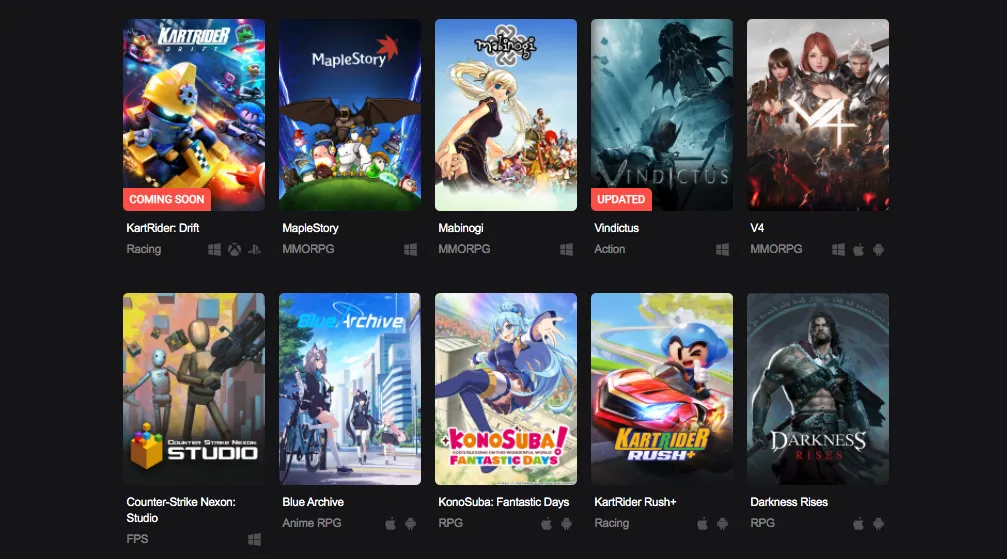
You can use Nexon Cash to purchase eligible digital items in supported Nexon games. Depending on the title, this may include game currency, character equipment, cosmetic items, event items, game upgrades, and other products in the in-game store.
Not all Nexon games accept all Nexon Cash cards. Some games may have a different payment system or regional store, or accept only certain types of cards. Some mobile and console versions of the games may also have their own separate billing rules.
Always ensure the player you are buying the card for plays a supported game. You should confirm the correct platform as well. If you wish to see more game-related options, check out the Gaming Gift Cards section.
Common Issues with Nexon Game Card Codes
There are many reasons a code may fail to work. The most frequent issues include:
Incorrect code entered: Thoroughly double-check the code. Sometimes users may mix similar characters such as I and 1, O and 0, or use the wrong capitalization when entering it.
Code already used: If the system says the code was previously used, check the account balance along with the transaction history. Do not repeatedly enter the code. If the balance does not show the expected credit, contact the seller or Nexon support with your purchase receipt.
Mismatched region or currency: Cards purchased in one region may not work on an account in a different region. Changing the site language or using a VPN does not remove the restriction of the original region.
Unsupported game or platform: The card may be valid but not accepted by the game, mobile version, console version, or third-party store you are using. Check the product description and redemption instructions.
Temporary website or server issue: Nexon services may be busy or temporarily unavailable. Wait and try again from the official redemption page after checking your internet connection.
Balance not showing immediately: Log out and back in, restart the game client, and make sure you are using the correct game account and wallet. If the payment has been confirmed but the balance still has not appeared, save the confirmation details and ask for help.
Safe Buying
To safely buy a code online, find a seller who clearly states the card value, country, currency, delivery method, and redemption rules. To compare digital and prepaid cards, visit the gift card store. For payment cards, you can also visit Payment Gift Cards.
Be careful with low-priced codes, unclear listings, or sellers who ask for your Nexon game password. No reputable seller should ask for a game account password in order to deliver the card. Posting a code you received or sending it to someone who does not need it is not safe either.
Save the receipt, delivery confirmation, and any confirmation emails. These can be used to contact the seller if the code was delivered but has already been redeemed.
Alternative Gift Card Options
If the recipient does not play a supported Nexon game, a different type of gift card may be more appropriate. Entertainment Gift Cards cover streaming, music, and digital entertainment services. Shopping Gift Cards provide a more open-ended choice for the recipient.
Conclusion
Redemption of Nexon game card codes is usually fairly easy. Just sign in to the desired account, follow the stated redemption method, and check that the region, currency, game, and platform are all correct.
Once you know how to redeem Nexon game card codes, you can avoid many common account, region, and code problems. Before buying any card, check the details, keep your code safe, and save your receipt until the Nexon Cash or game credit has been added.


